
Save. Plan. Shop. Cook.
All Your Recipes in One Place.
Stop wondering what to cook. Save recipes in one tap—Cookonut turns them into a meal plan and a smart shopping list.


Free to download
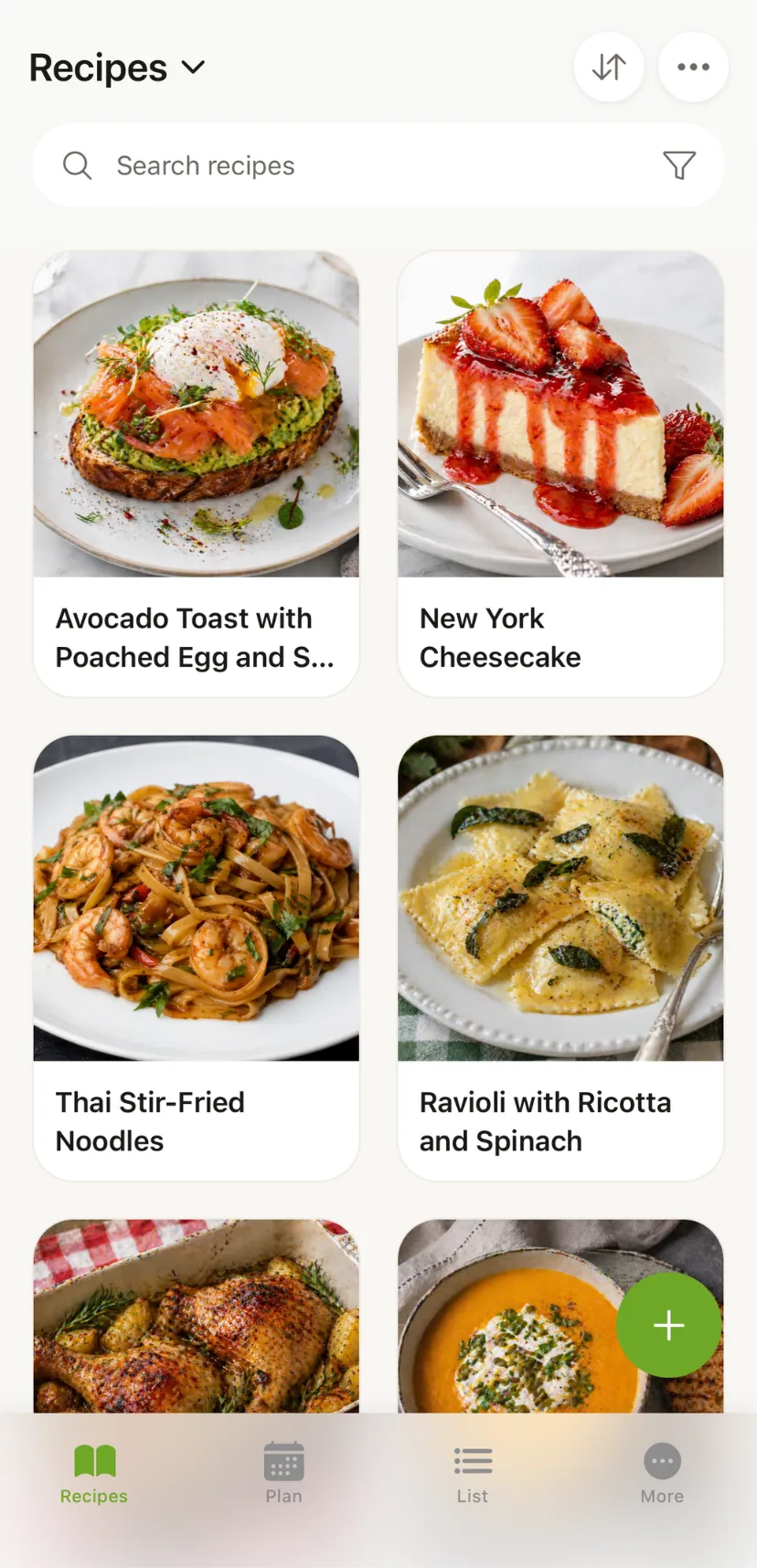
How It Works
1. Add a recipe in seconds
From TikTok, Instagram, Facebook, websites, photos, or voice. All saved in one place.
2. Cookonut organizes everything
AI extracts ingredients and steps, fills in details, and saves to your collection.
3. Plan, shop, and cook stress-free
One-tap meal plans and grocery lists. Step-by-step cooking mode in the kitchen.
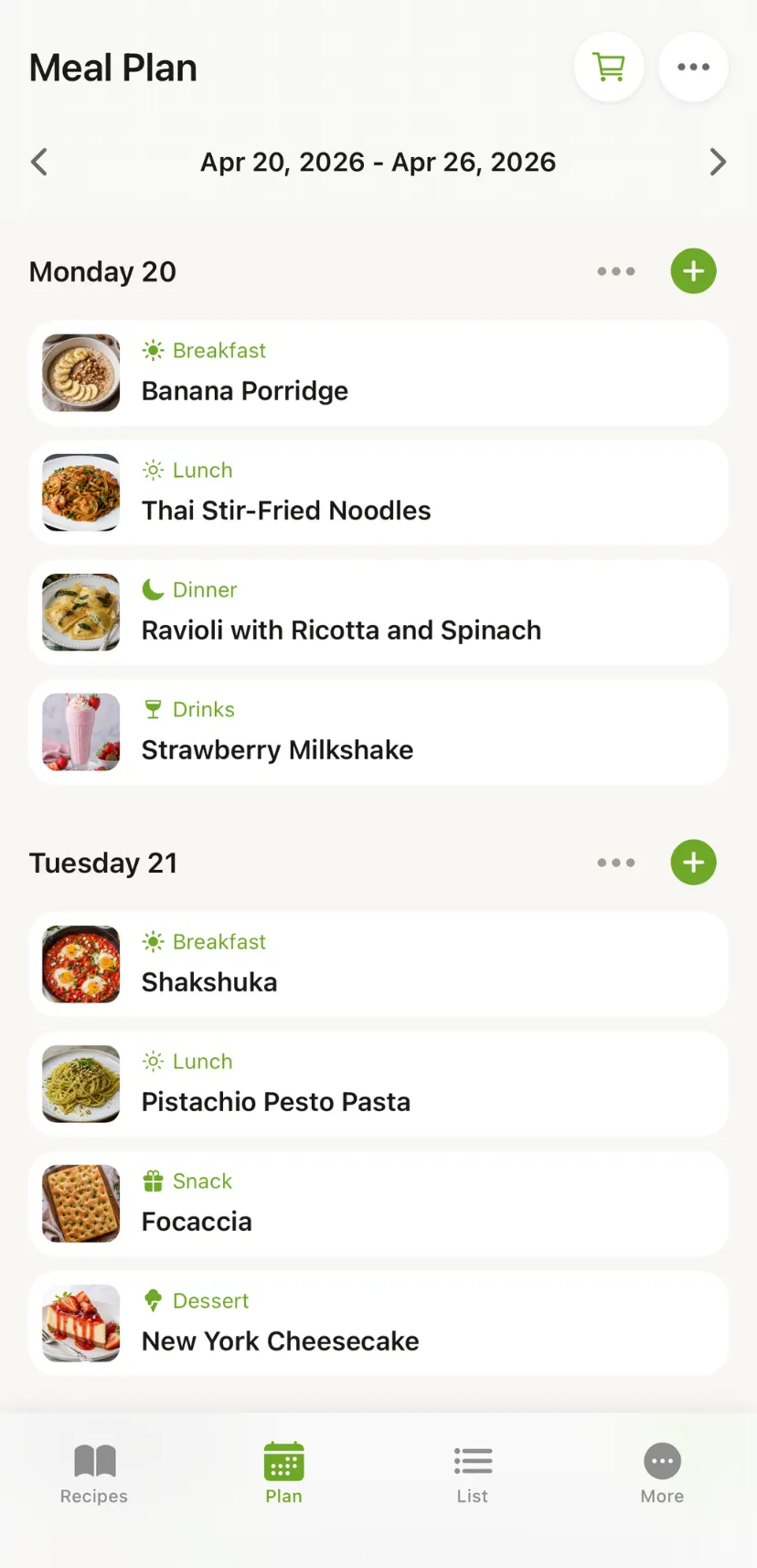
Meal plan
with ease
Got the "what's for dinner?" panic? Add recipes to any day of your week, see everything at a glance, and turn your plan into a shopping list in one tap. Save time, waste less food, eat better.
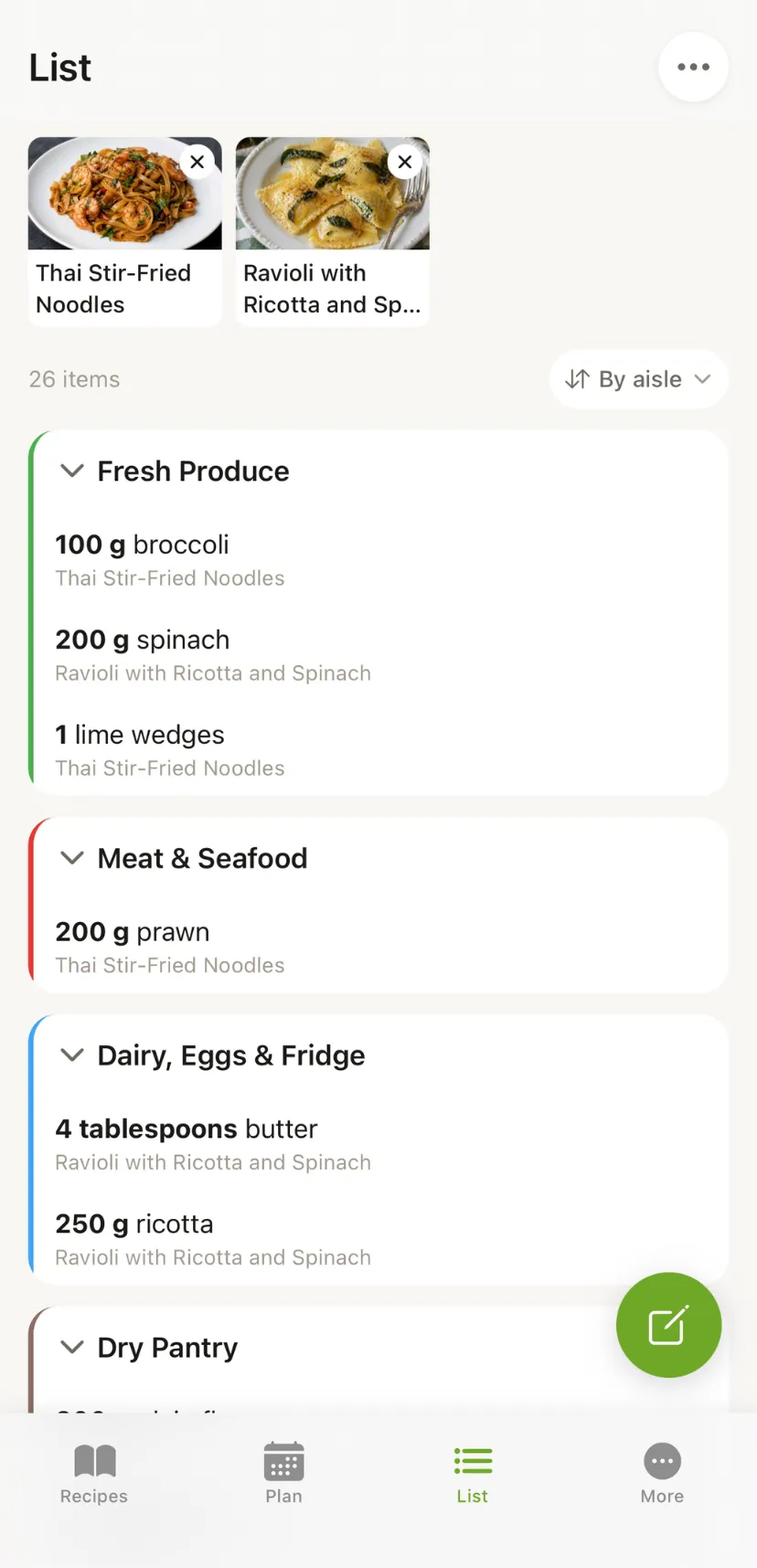
Grocery shopping
simplified
Cookonut builds your shopping list from your meal plan. Ingredients grouped by aisle, no duplicates. Share with your family in one tap.
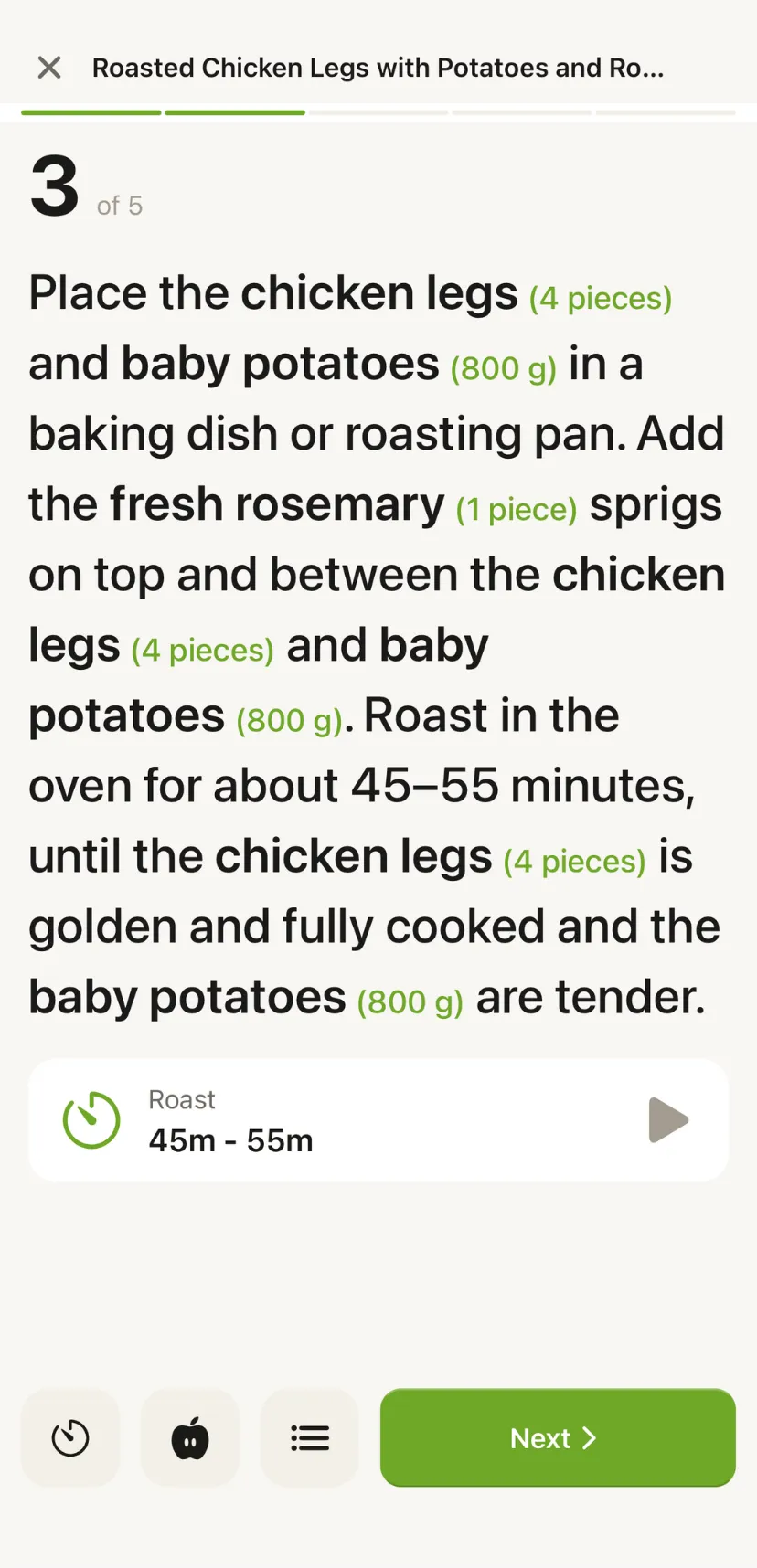
Cooking
stress-free
Step-by-step cooking mode with built-in timers. Keep your screen on the whole time. Focus on the food, not the recipe.
Everything you need
Everything to save, organize, plan, and cook recipes.
Import Recipes
Social Media Import
Save recipes from TikTok, Instagram, Facebook, Pinterest, and YouTube.
Organize Recipes
Cook & Plan
More Features
Home Screen Widgets
Four home screen widgets — grocery list, meal plan, today's meals, and quick actions.
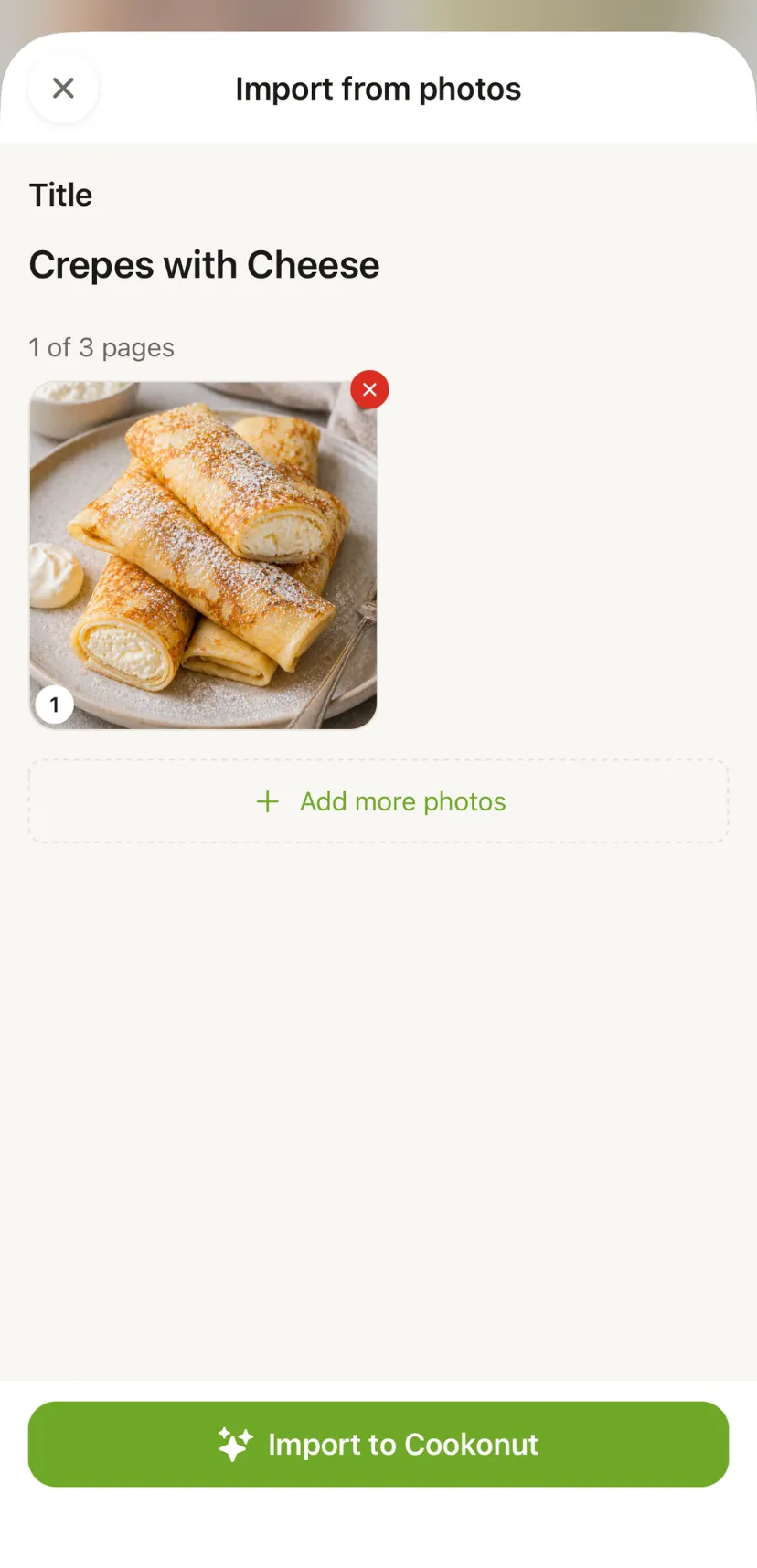
Import Recipes
Scan Recipe
Take a photo of any recipe and let AI digitize it instantly.
Dictate Recipe
Speak your recipe out loud and Cookonut writes it down for you.
Paste Text
Paste recipe text from any source and Cookonut structures it for you.
Social Media Import
Save recipes from TikTok, Instagram, Facebook, Pinterest, and YouTube.
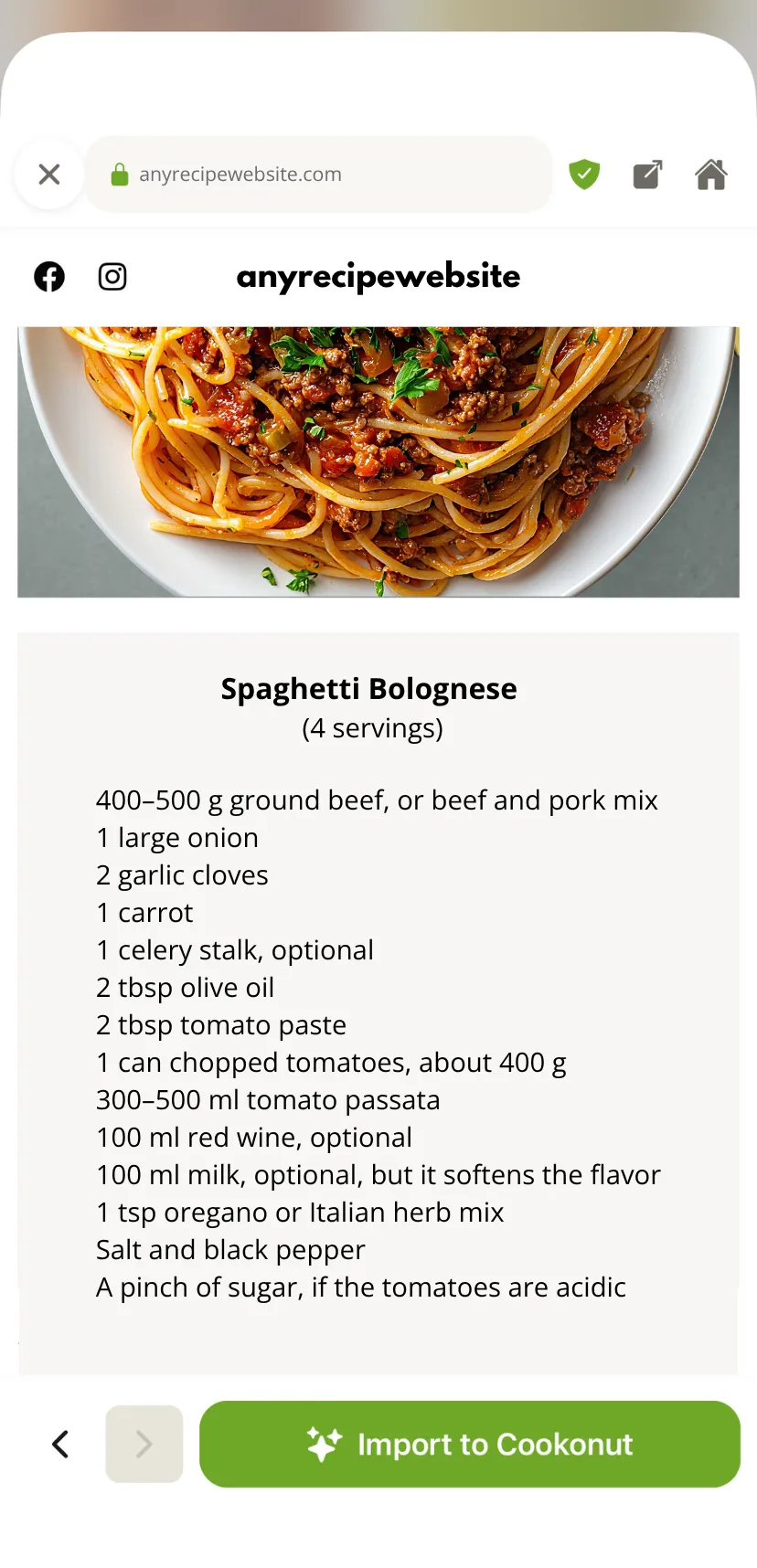
Search the Web
Browse most recipe websites inside Cookonut and import recipes in one tap.
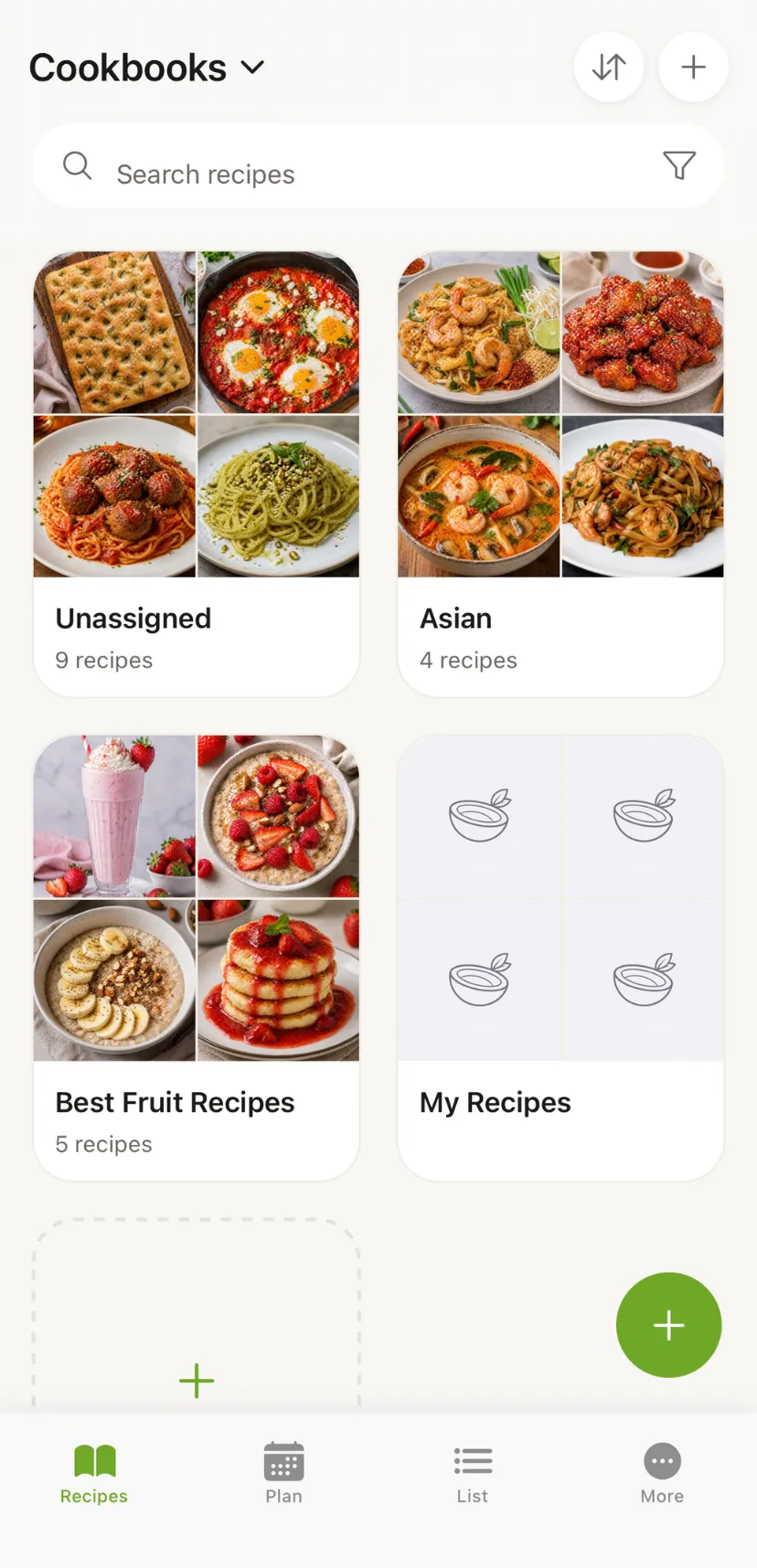
Organize Recipes
Cook & Plan
Cooking Mode
Step-by-step cooking view with built-in timers and wake lock.
Meal Planning
Plan your whole week and build a grocery list from it.
Grocery List
Auto-generated grocery lists grouped by aisle for faster shopping.
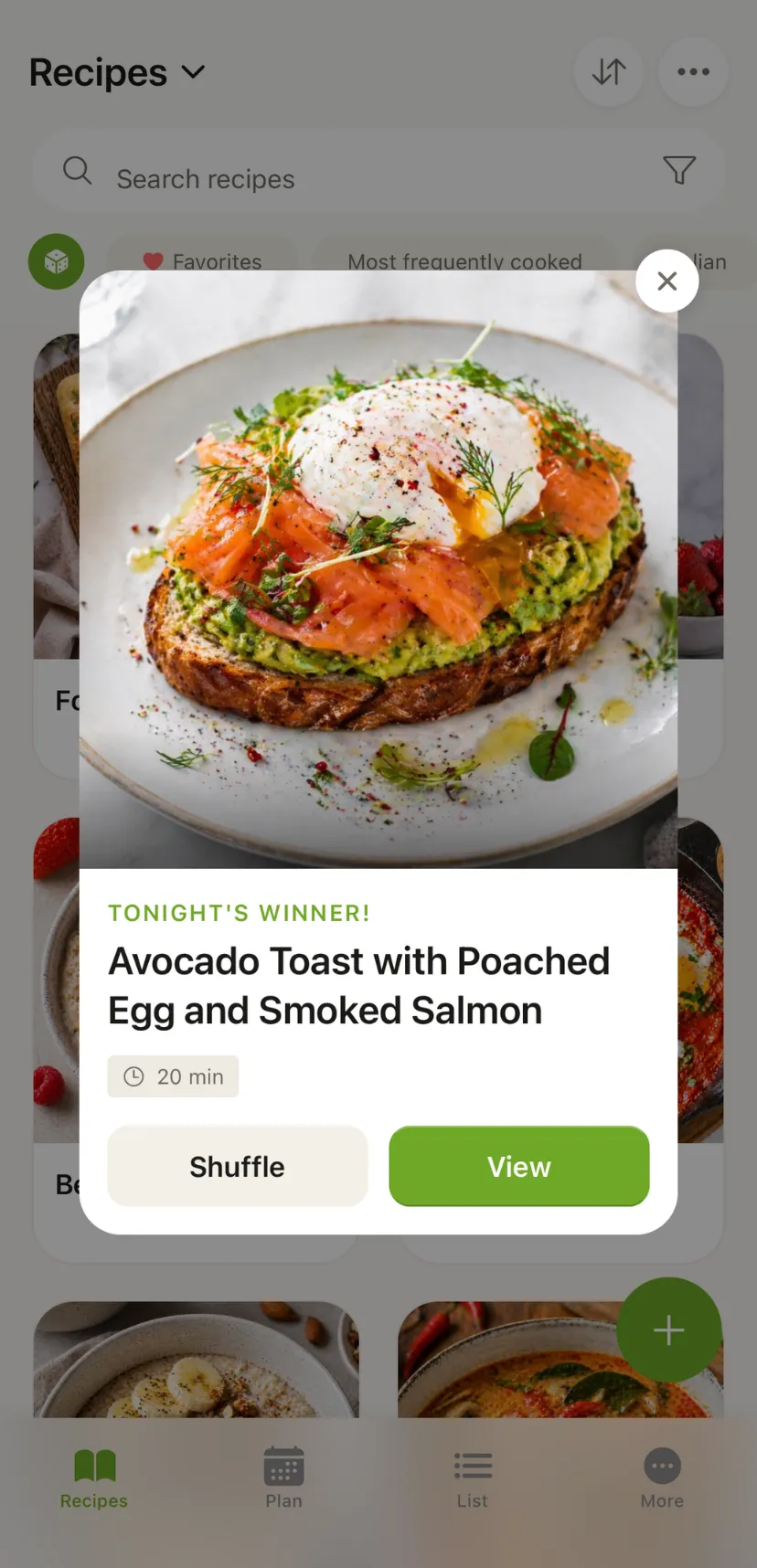
Pick a Recipe
Let Cookonut surprise you — pick a random recipe from your collection.
More Features
Nutrition Info
See calories, macros, and nutritional breakdown for every recipe.
Cloud Sync
Sync your recipes across devices with offline access.
Recipe Translation
Translate any recipe into 9 languages with one tap.
Recipe Sharing
Share recipes with friends and family directly inside Cookonut.
Recipe Export
Export recipes as PDF, plain text, or print them directly.
Home Screen Widgets
Four home screen widgets — grocery list, meal plan, today's meals, and quick actions.
Frequently Asked Questions
Does Cookonut offer a free plan?
What sources can I import recipes from?
Does the app work offline?
Can I import recipes from Instagram and TikTok?
How does the meal planner work?
Is my data safe and private?
Can I move recipes from another app?
What languages does Cookonut support?
How does the grocery list work?
Do I need an account to use Cookonut?
What devices does Cookonut work on?
Simple, Transparent Pricing
No hidden fees. No ads. Ever.
Free
forever
See what's included
- 10 AI imports per month (all methods)
- Auto-translation of imports (9 languages)
- Up to 50 saved recipes
- Cookbooks & collections
- Meal planner
- Grocery list
- Cloud sync & offline access
- 10 AI imports per month (all methods)
- Auto-translation of imports (9 languages)
- Up to 50 saved recipes
- Cookbooks & collections
- Meal planner
- Grocery list
- Cloud sync & offline access
Premium
- Everything in Free, plus:
- ∞ Unlimited AI imports
- ∞ Unlimited saved recipes
- Cooking mode with timers
- Smart Meal Planning (auto-week & copy)
- Nutrition information
- On-demand recipe translation
- Recipe sharing with other Cookonut users
- Up to 50 saved recipes
- Cookbooks & collections
- Meal planner
- Grocery list
- Cloud sync & offline access
Try Cookonut for free.