
Getting Started with Cookonut
Articles in this section
🚀 Getting Started
📥 Importing Recipes
- How to Import Recipes
- Import from a Website
- Import from Instagram
- Import from Facebook
- Import from TikTok
- Import from Pinterest
- Import from YouTube
- Scan a Recipe from Photo
- Dictate a Recipe by Voice
- Import by Pasting Text
- Use the In-App Browser
- Write a Recipe from Scratch
- Review & Edit Before Saving
- Understanding Import Credits
📂 Managing Recipes
👨🍳 Cooking Mode
📅 Meal Planning
🛒 Grocery List
📤 Sharing & Export
💳 Billing & Subscription
⚙️ Account & Settings
ℹ️ About Cookonut
💡 Ideas & Feedback
Welcome to Cookonut! Whether you have recipes scattered across bookmarks, screenshots, handwritten cards, or your own memory, Cookonut brings them all together in one beautifully organized place. This guide will walk you through the essentials so you can start saving and cooking in minutes.
What Cookonut Does
Cookonut is your personal recipe manager. You can:
- Save recipes from websites, social media, photos, voice, or by typing them in
- Organize recipes into cookbooks and tag them for easy searching
- Plan meals for the week with a weekly meal planner
- Generate grocery lists automatically from your meal plan or individual recipes
- Cook step-by-step with a cooking mode designed for the kitchen
Your First 5 Minutes
Here’s the quickest way to get up and running:
- Download Cookonut from the App Store or Google Play and create your free account
- Import a recipe — tap the + button on the Recipes tab, choose Search the web, and open your favorite food blog to save a recipe
- Review and save — Cookonut extracts the recipe automatically; check the details and tap Save
- Open cooking mode — tap the recipe, then tap Cook to see step-by-step instructions optimized for the kitchen
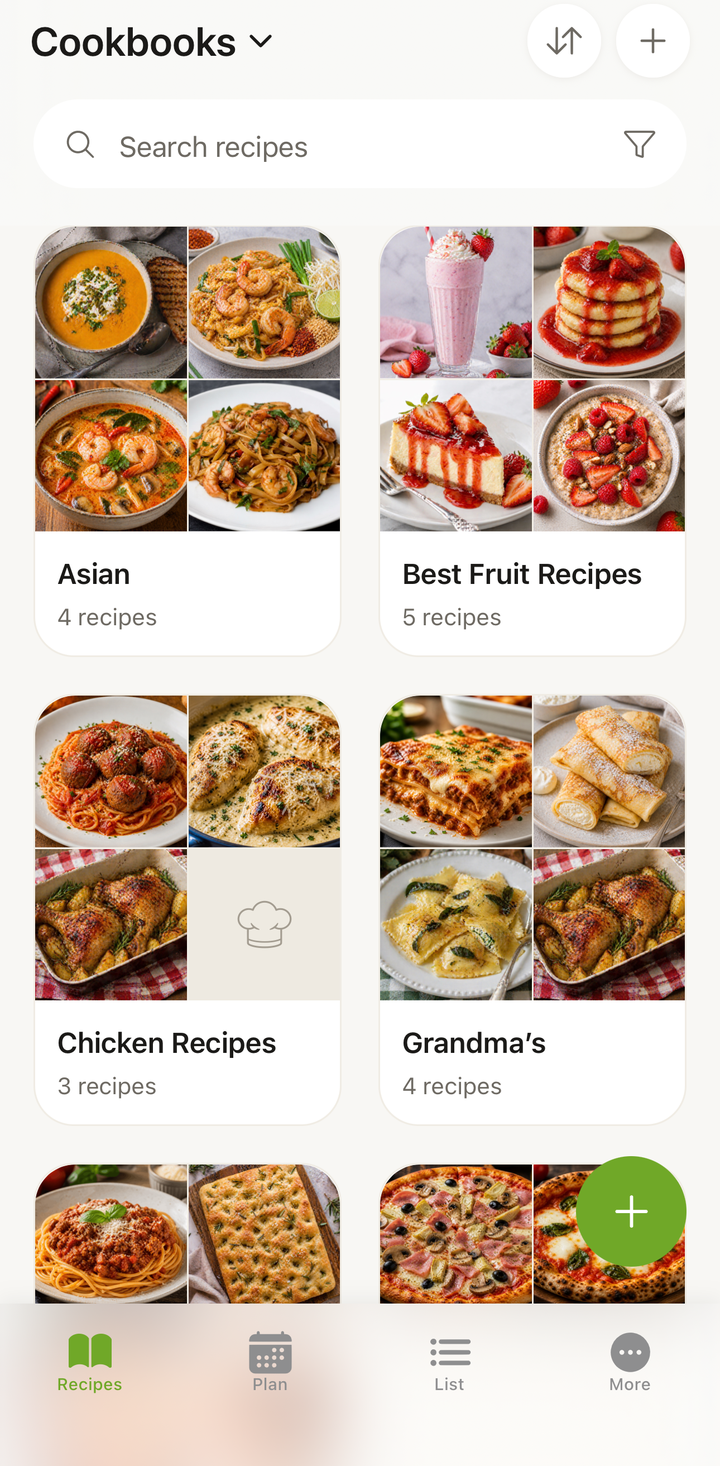
- Explore the tabs — check out the Plan and List tabs, and the cookbooks view inside the Recipes tab
What’s Free, What’s Premium
Cookonut is generous with its free tier. Here’s what you get at no cost:
Free (forever):
- 10 AI-powered imports per month (from websites, social media posts, photos, voice recordings, or pasted text)
- Up to 50 saved recipes
- Unlimited manual recipe entry
- Meal planner, grocery list, cooking mode, cookbooks
- Cloud sync and offline access
- Export and print recipes
Premium ($4.99/month or $38.99/year):
- Unlimited AI imports
- Unlimited saved recipes
- Nutrition information on every recipe
- On-demand recipe translation between languages
- Share recipes directly with other Cookonut users
You can use every feature of the app on the free plan — Premium simply removes limits and adds a few extras.
Key Concepts
AI Import Credits — Each time Cookonut automatically extracts a recipe from a website, social media post, photo, video, or voice recording, it uses one credit from your monthly pool of 10. Writing a recipe manually from scratch never uses a credit.
Cookbooks — Think of these as folders or collections. You might have a “Weeknight Dinners” cookbook, a “Holiday Baking” cookbook, and so on. Cookbooks are a view inside the Recipes tab, not a separate tab.
Cooking Mode — A distraction-free view that shows one step at a time with large text, timers, and easy swiping between steps. Perfect when your hands are messy.
Plan — The Plan tab is a weekly calendar where you add recipes into meal slots for each day. From there, you can generate a grocery list with one tap, which appears in the List tab.
Next Steps
Ready to dive deeper? Here are the articles we recommend reading next:
- Download & Create Your Account — step-by-step setup instructions
- Import Your First Recipe — a detailed walkthrough of your first import
- App Overview: Tabs & Navigation — learn where everything lives
- Set Your Preferences — customize language, units, and appearance
Cookonut is designed to be intuitive, but these guides will help you discover features you might otherwise miss. Happy cooking!
Thanks for your feedback! We're glad it helped.