
Check Your Subscription Status
Articles in this section
🚀 Getting Started
📥 Importing Recipes
- How to Import Recipes
- Import from a Website
- Import from Instagram
- Import from Facebook
- Import from TikTok
- Import from Pinterest
- Import from YouTube
- Scan a Recipe from Photo
- Dictate a Recipe by Voice
- Import by Pasting Text
- Use the In-App Browser
- Write a Recipe from Scratch
- Review & Edit Before Saving
- Understanding Import Credits
📂 Managing Recipes
👨🍳 Cooking Mode
📅 Meal Planning
🛒 Grocery List
📤 Sharing & Export
💳 Billing & Subscription
⚙️ Account & Settings
ℹ️ About Cookonut
💡 Ideas & Feedback
Not sure if you’re on the Free or Premium plan? Here’s how to check.
In the Cookonut App
- Open Cookonut
- Go to the More tab
- Tap Account
- Your current plan is shown at the top — either Free or Premium
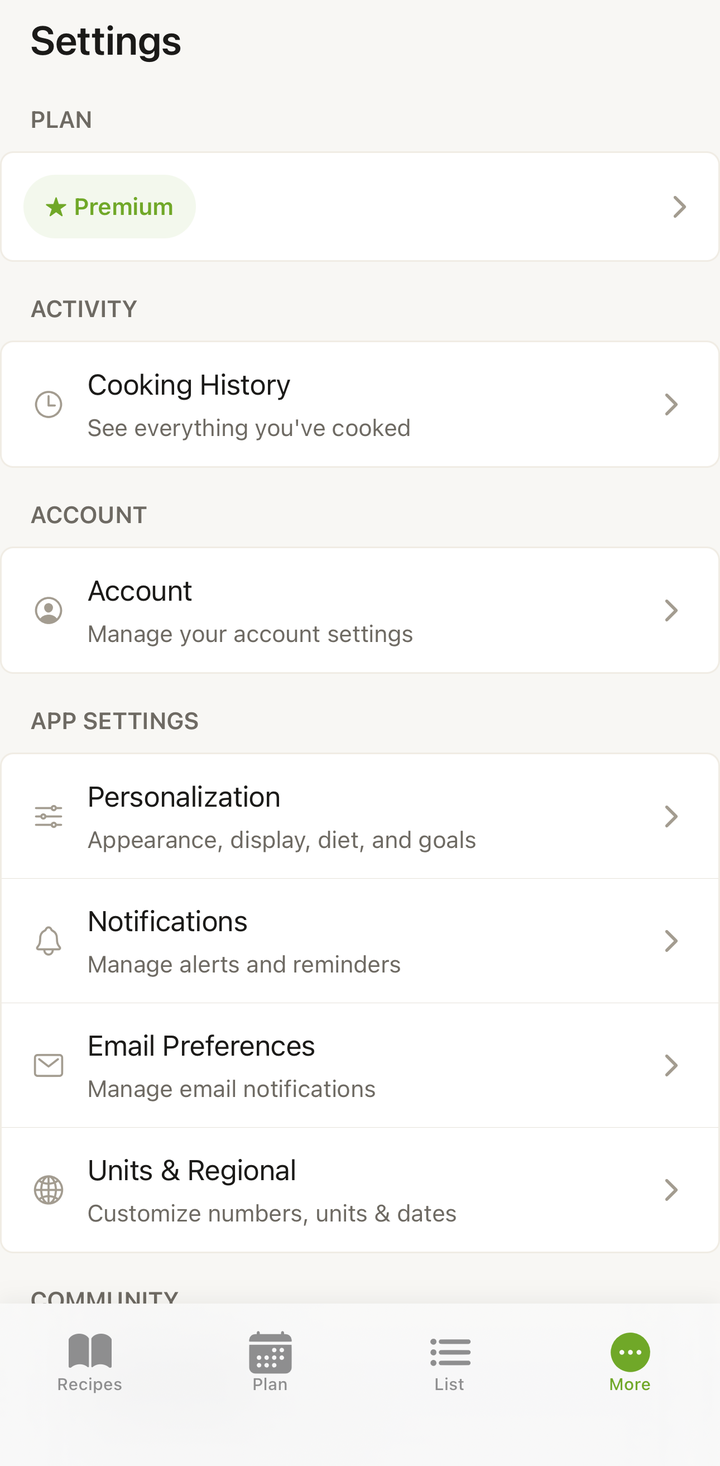
If you’re on Premium, you’ll see:
- Your plan type (Monthly or Annual)
- The next renewal date
- A link to manage your subscription
Through Your App Store
iOS (App Store)
- Open Settings → tap your name → Subscriptions
- Find Cookonut to see your plan details and renewal date
Android (Google Play)
- Open Google Play Store → tap your profile → Payments & subscriptions → Subscriptions
- Find Cookonut for plan details
Common Situations
- “It says Free but I paid” — Make sure you’re logged in with the same account (Apple ID or Google account) you used to subscribe. Try tapping Restore Purchases in Settings → Account.
- “My subscription expired” — Your payment method may have failed. Check your App Store or Google Play payment settings.
- “I canceled but still have Premium” — You keep Premium until the end of your billing period. The exact date is shown in your subscription details.
Says Free But You Paid?
If the store shows an active subscription and Cookonut still shows Free, it usually means the subscription isn’t linked to this Cookonut account yet — that happens when Premium was bought before signing in. Sign in, then tap Link my Premium or Restore Purchases in Settings → Account. Premium works on one Cookonut account at a time, so it’s also worth checking that you’re signed in to the account you expect.
Thanks for your feedback! We're glad it helped.