
Print or Export Your Grocery List
Articles in this section
🚀 Getting Started
📥 Importing Recipes
- How to Import Recipes
- Import from a Website
- Import from Instagram
- Import from Facebook
- Import from TikTok
- Import from Pinterest
- Import from YouTube
- Scan a Recipe from Photo
- Dictate a Recipe by Voice
- Import by Pasting Text
- Use the In-App Browser
- Write a Recipe from Scratch
- Review & Edit Before Saving
- Understanding Import Credits
📂 Managing Recipes
👨🍳 Cooking Mode
📅 Meal Planning
🛒 Grocery List
📤 Sharing & Export
💳 Billing & Subscription
⚙️ Account & Settings
ℹ️ About Cookonut
💡 Ideas & Feedback
Prefer a paper list? Or want to save your grocery list somewhere outside the app? Cookonut lets you print your list or export it as text.
Printing Your Grocery List
- Go to the List tab
- Tap the ••• icon to open the Options sheet
- Choose Print
- Your phone’s print dialog opens
- Select your printer and tap Print
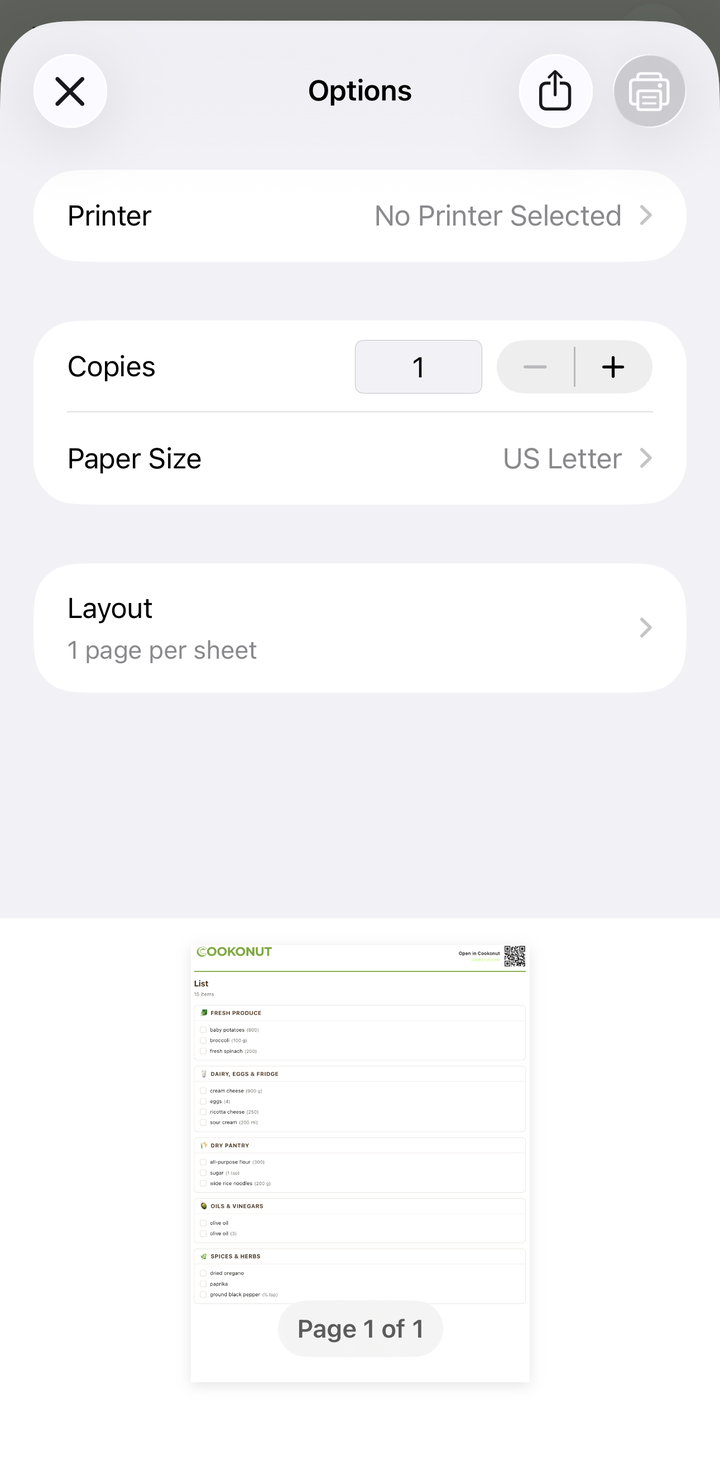
The printed list is clean and well-formatted:
- Items grouped by category
- Quantities included
- Checkboxes next to each item for manual checking while shopping
- Compact layout that fits on one or two pages
Printing Tips
- Print after reviewing the list — check off items you already have and remove extras before printing
- The printed list includes empty checkboxes — you can check items off with a pen while shopping
- Print in black and white to save ink — the list is designed to be readable without color
Exporting as Text
If you don’t need a physical printout but want the list outside Cookonut:
- Go to the List tab
- Tap the ••• icon to open the Options sheet
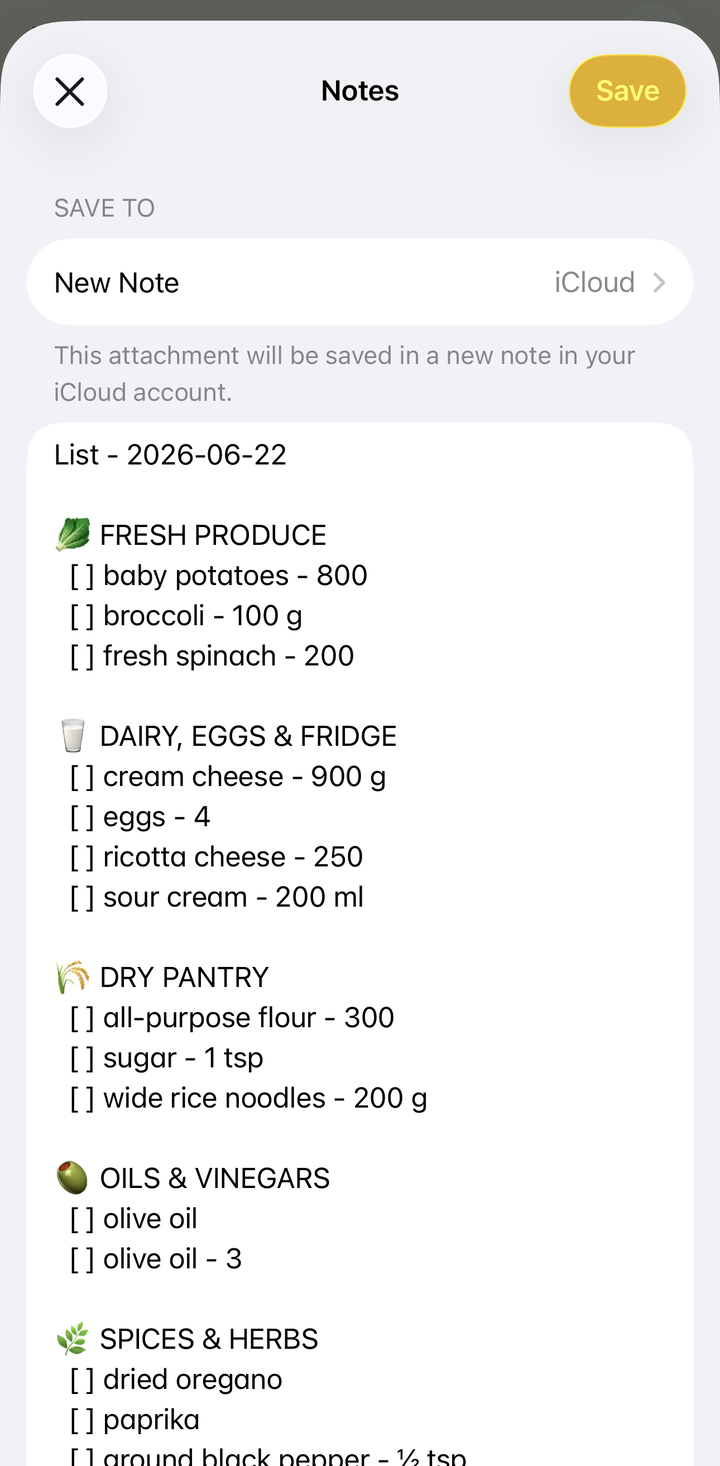
- Choose Share as text
- From the system share sheet, copy it or send it to any app — Notes, a document, an email, a chat
The exported text is formatted for readability with categories and quantities.
Need a document instead? The same Options sheet has an Export PDF option that produces a clean PDF of your list.
Exporting to Other Apps
Using the system share sheet, you can send your grocery list to:
- Notes apps (Apple Notes, Google Keep, etc.)
- To-do apps (Todoist, Things, etc.)
- Email — send it to yourself or a family member
- Documents — paste into a Google Doc or Word file
When to Print vs. Use the App
Use the app when:
- You want to check items off digitally
- Your phone will be with you in the store
- You want to share the list with someone else electronically
Print when:
- You prefer pen and paper
- Your phone battery might not last
- Multiple people will shop from the same list at the same time
- You like the tactile satisfaction of crossing items off
Export when:
- You want a backup
- You use another task management system
- You want to keep a record of what you bought
Print and Export Are Free
Printing and exporting your grocery list are available on all plans, including the free tier.
Thanks for your feedback! We're glad it helped.