
View Nutrition Info
Articles in this section
🚀 Getting Started
📥 Importing Recipes
- How to Import Recipes
- Import from a Website
- Import from Instagram
- Import from Facebook
- Import from TikTok
- Import from Pinterest
- Import from YouTube
- Scan a Recipe from Photo
- Dictate a Recipe by Voice
- Import by Pasting Text
- Use the In-App Browser
- Write a Recipe from Scratch
- Review & Edit Before Saving
- Understanding Import Credits
📂 Managing Recipes
👨🍳 Cooking Mode
📅 Meal Planning
🛒 Grocery List
📤 Sharing & Export
💳 Billing & Subscription
⚙️ Account & Settings
ℹ️ About Cookonut
💡 Ideas & Feedback
Cookonut can show you estimated nutritional information for your recipes, including calories, protein, carbohydrates, fat, and more. This feature is available with a Premium subscription.
How to View Nutrition Information
- Open any recipe in your collection
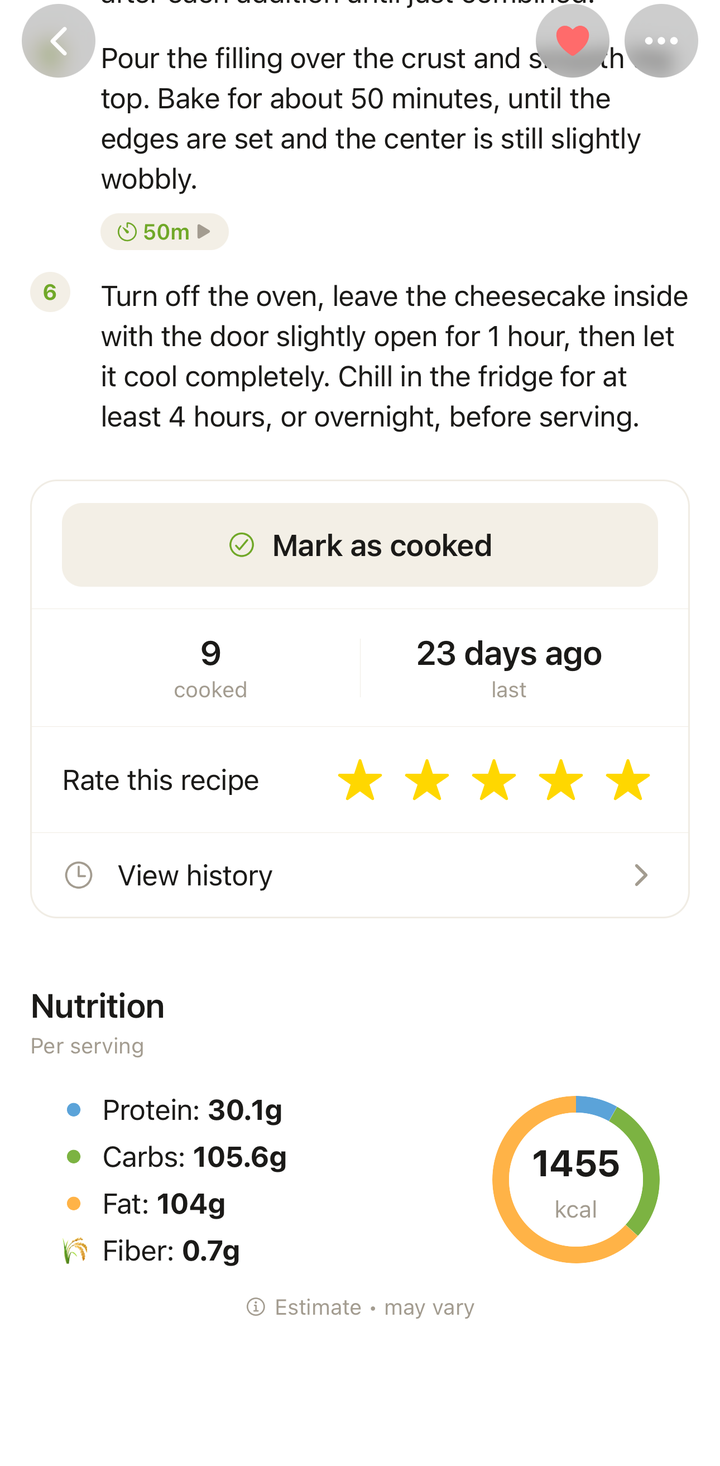
- Scroll down to find the Nutrition section
- You’ll see a breakdown of key nutritional values per serving
What Nutrition Data Is Shown
Cookonut provides estimated values for:
- Calories (kcal per serving)
- Protein (grams)
- Carbohydrates (grams)
- Fat (grams)
- Fiber (grams)
All values are calculated per serving, based on the current serving count. If you scale the servings up or down, the per-serving nutrition values stay the same (since they’re per portion), but you can see the total by multiplying.
How It Works
When an imported recipe includes nutrition figures published by its source, Cookonut shows those first. It checks the basis (per serving, whole recipe, or per 100 g), rescales whole-recipe totals by the serving count, and falls back to its own ingredient calculation when the figures don’t hold up. Any individual values the source didn’t publish are calculated by Cookonut and marked †; if the source published no nutrition, everything is calculated from the ingredients as before.
The result is an estimate — perfect for general dietary awareness, but not a replacement for certified nutrition labels. Variations in ingredient brands, sizes, and preparation methods can affect actual values.
Nutrition and Serving Scaling
When you scale servings:
- Per-serving values stay the same — if the original recipe has 450 kcal per serving, it’s still 450 kcal per serving whether you’re making 2 or 10 portions
- Total nutrition scales proportionally — 4 servings at 450 kcal = 1,800 kcal total; 8 servings at 450 kcal = 3,600 kcal total
Using Nutrition Info for Meal Planning
You can use nutrition data to plan balanced meals:
- When selecting recipes for your meal plan, check the nutrition section to ensure variety
- Balance higher-calorie dinners with lighter lunches
- Make sure you’re getting enough protein across the day
- Use calorie information to support dietary goals
Premium Feature
Nutrition information is a Premium-only feature. On the free plan, you’ll see the nutrition section but will be prompted to upgrade to view the data.
Premium is available at:
- $4.99/month
- $38.99/year
Along with nutrition info, Premium includes unlimited AI imports, unlimited recipe storage, on-demand recipe translation, and recipe sharing.
To upgrade:
- Go to Settings
- Tap Upgrade to Premium
- Choose your plan and confirm
Accuracy Notes
Nutrition estimates are most accurate when:
- Ingredients have specific quantities — “200g chicken breast” gives better data than “chicken”
- Common ingredients are used — standard ingredients match well against the food database
- Preparation methods are standard — deep frying adds more fat than baking, and the estimate tries to account for this
For the most accurate results, make sure your recipes have precise ingredient quantities. You can always edit ingredient amounts in the recipe editor to improve the nutrition estimate.
Tips
- Don’t obsess over exact numbers — these are estimates to help guide your choices, not lab results
- Compare recipes to find healthier alternatives for your meal plan
- Pay attention to per-serving values since total recipe nutrition can be misleading for dishes with many servings
- Use alongside your meal plan to ensure balanced eating throughout the week
Thanks for your feedback! We're glad it helped.