
Add Notes to a Recipe
Articles in this section
🚀 Getting Started
📥 Importing Recipes
- How to Import Recipes
- Import from a Website
- Import from Instagram
- Import from Facebook
- Import from TikTok
- Import from Pinterest
- Import from YouTube
- Scan a Recipe from Photo
- Dictate a Recipe by Voice
- Import by Pasting Text
- Use the In-App Browser
- Write a Recipe from Scratch
- Review & Edit Before Saving
- Understanding Import Credits
📂 Managing Recipes
👨🍳 Cooking Mode
📅 Meal Planning
🛒 Grocery List
📤 Sharing & Export
💳 Billing & Subscription
⚙️ Account & Settings
ℹ️ About Cookonut
💡 Ideas & Feedback
You made the recipe, and it was great — but next time you’d use less salt and bake it five minutes longer. Don’t trust your memory. Add a note to the recipe so future you knows exactly what to do.
How to Add a Note
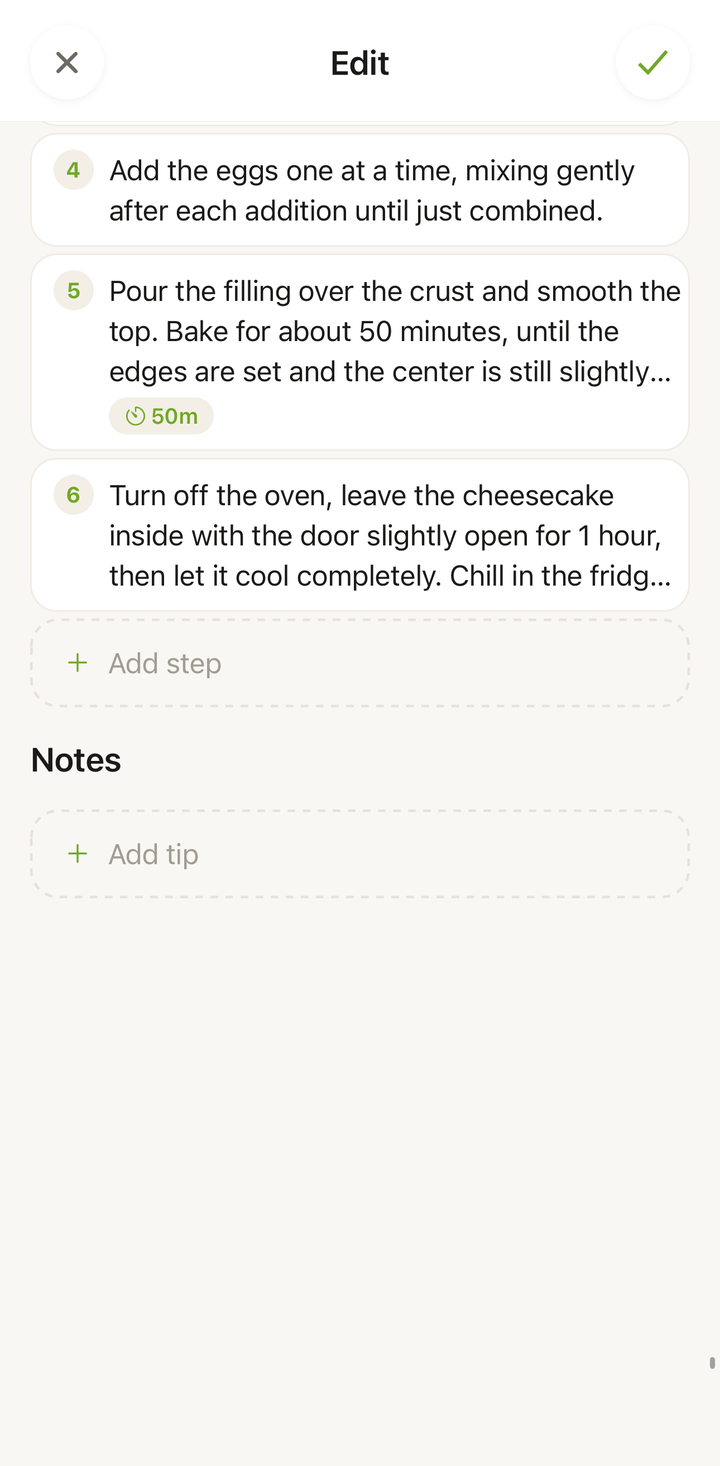
Notes are added in the recipe editor:
- Open the recipe you want to annotate
- Tap ••• and choose Edit recipe
- Scroll to the notes section and tap Add tip
- Type your note, then tap the checkmark to save the recipe
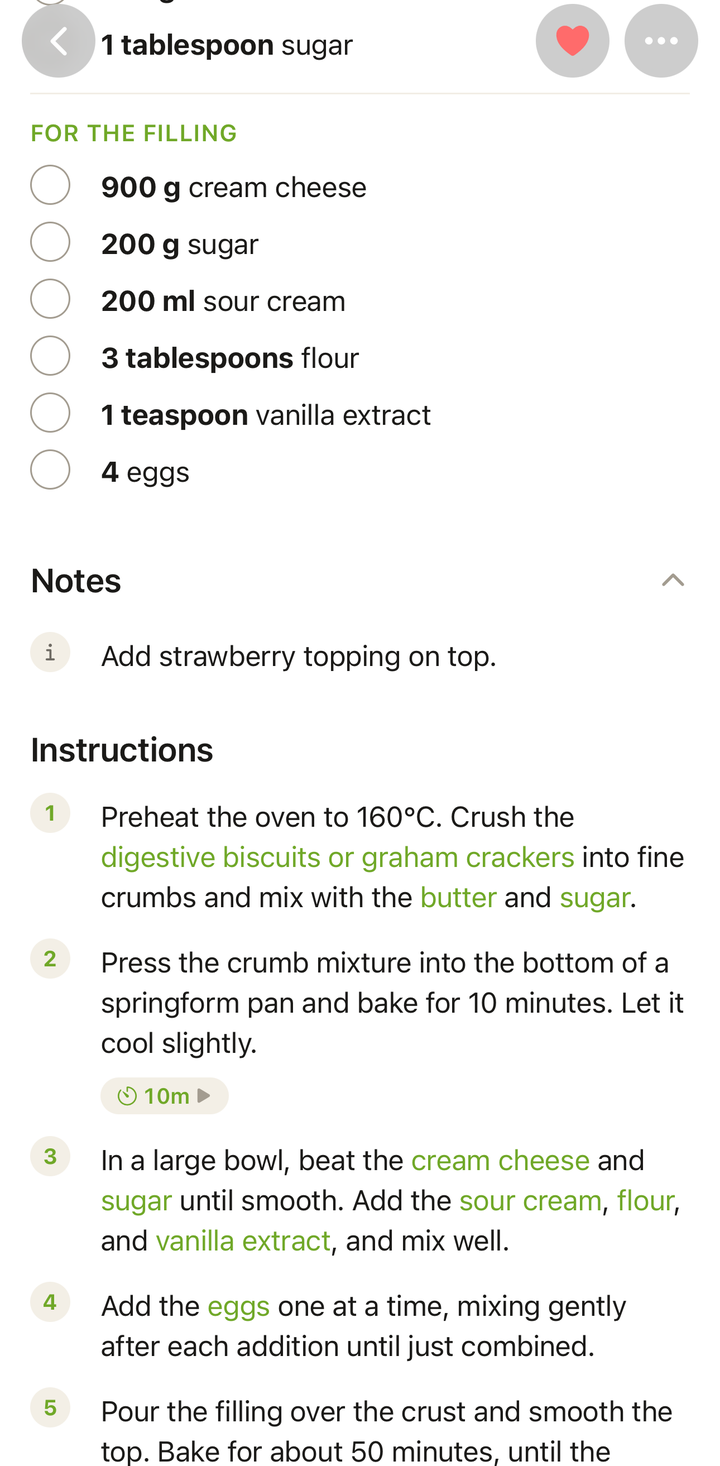
Your note appears right on the recipe — between the ingredients and the instructions — visible every time you open it. You can add as many notes as you like.
What to Write in Notes
Notes are freeform — write whatever is useful to you. Here are some ideas:
Cooking Tips
- “Bake at 180°C fan instead of 200°C — comes out better”
- “Let the dough rest for at least 2 hours, not 1”
- “Use a cast iron pan for the best crust”
Tried Modifications
- “Swapped heavy cream for coconut milk — works great”
- “Added a tablespoon of miso paste to the sauce”
- “Half the sugar is enough for our taste”
Reminders
- “Double the recipe for family gatherings”
- “Start marinating the night before”
- “Kids prefer this without the chili flakes”
Who Liked It
- “Everyone loved this at the dinner party”
- “Tom doesn’t like this one — too spicy for him”
- “Great for potlucks — always gets compliments”
Notes Are Private
Your notes are visible only to you. When you share a recipe, your personal notes are not included. Feel free to write whatever you want — candid opinions, reminders, or anything else.
Editing a Note
To edit an existing note:
- Open the recipe and tap ••• → Edit recipe
- Tap the note you want to change
- Make your edits and tap the checkmark to save
Deleting a Note
To remove a note:
- Open the recipe and tap ••• → Edit recipe
- Swipe left on the note to delete it
- Tap the checkmark to save the recipe
Deleted notes cannot be recovered, so make sure you no longer need the information before removing it.
Tips
- Add notes right after cooking — your observations are freshest when the dish is still warm
- Be specific — “needs more salt” is less useful than “add 1/2 tsp more salt to the sauce”
- Use notes instead of editing the recipe when you want to keep the original instructions intact but remember your personal tweaks
- Notes complement the recipe description — use the description for a general summary and notes for specific observations from each time you cook it
Thanks for your feedback! We're glad it helped.