
Change Language
Articles in this section
🚀 Getting Started
📥 Importing Recipes
- How to Import Recipes
- Import from a Website
- Import from Instagram
- Import from Facebook
- Import from TikTok
- Import from Pinterest
- Import from YouTube
- Scan a Recipe from Photo
- Dictate a Recipe by Voice
- Import by Pasting Text
- Use the In-App Browser
- Write a Recipe from Scratch
- Review & Edit Before Saving
- Understanding Import Credits
📂 Managing Recipes
👨🍳 Cooking Mode
📅 Meal Planning
🛒 Grocery List
📤 Sharing & Export
💳 Billing & Subscription
⚙️ Account & Settings
ℹ️ About Cookonut
💡 Ideas & Feedback
Cookonut supports 9 languages. You can change the app language anytime, and the entire interface updates instantly.
Supported Languages
- English
- Polish (Polski)
- German (Deutsch)
- French (Français)
- Spanish (Español)
- Italian (Italiano)
- Portuguese (Português)
- Brazilian Portuguese (Português do Brasil)
- Dutch (Nederlands)
How to Change the Language
- Open Cookonut
- Go to the More tab
- Tap Units & Regional
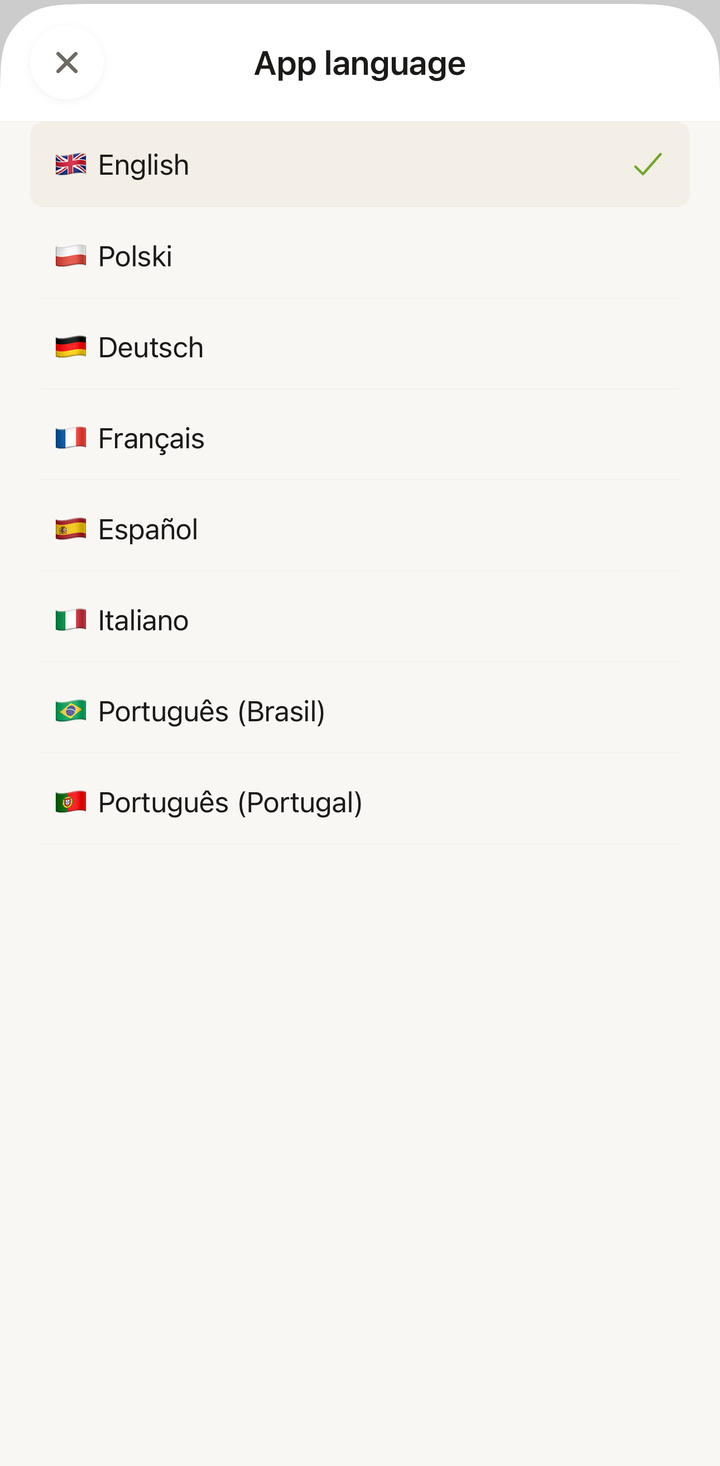
- Under Language & Translation, tap App language
- Select your preferred language from the list — the interface updates immediately
What Changes
When you switch languages, the following update:
- All app menus and buttons — navigation, settings, import screens
- Labels and categories — meal types, cuisine names, filter options
- System messages — notifications, confirmations, error messages
- Onboarding and help text
What Doesn’t Change
Your recipe content stays in whatever language it was originally imported or written in. Changing the app language doesn’t translate your recipes. For example:
- If you imported a recipe from an Italian food blog, the recipe text stays in Italian
- If you wrote a recipe in English, it stays in English
To translate recipe content between languages, Cookonut offers two options: auto-translation on import (available on every plan) and on-demand recipe translation (Premium).
Recipe Translation
Auto-translation on import is available on every plan. Enable it under Units & Regional and newly imported recipes are automatically translated into your app language. On the free plan this works within your 10 monthly AI imports — translation doesn’t use an extra credit.
On-demand recipe translation requires a Premium subscription and lets you translate recipes you’ve already saved:
- Open a recipe
- Tap the options menu (three dots)
- Choose Translate recipe
- Select the target language
- The recipe content (title, ingredients, instructions) is translated
This is separate from the app language setting — you can have the app in English while translating individual recipes from French to English, for example.
Language Syncs Across Devices
Your language preference is tied to your account. If you sign in on a new device, the app will automatically use the language you previously selected.
When to Change Language
Moved to a new country? Switch the app language to match.
Bilingual household? Each family member can use their own Cookonut account in their preferred language.
Learning a language? Set Cookonut to the language you’re learning for everyday practice. Recipe vocabulary is surprisingly useful!
Tips
- You can change the language as often as you want — there’s no limit
- If you accidentally switch to a language you can’t read, the language option is always under More > Units & Regional > App language, in the same position
- The language setting is independent of your phone’s system language — you can have your phone in English and Cookonut in German, or any combination
Thanks for your feedback! We're glad it helped.