
Upgrade to Premium
Articles in this section
🚀 Getting Started
📥 Importing Recipes
- How to Import Recipes
- Import from a Website
- Import from Instagram
- Import from Facebook
- Import from TikTok
- Import from Pinterest
- Import from YouTube
- Scan a Recipe from Photo
- Dictate a Recipe by Voice
- Import by Pasting Text
- Use the In-App Browser
- Write a Recipe from Scratch
- Review & Edit Before Saving
- Understanding Import Credits
📂 Managing Recipes
👨🍳 Cooking Mode
📅 Meal Planning
🛒 Grocery List
📤 Sharing & Export
💳 Billing & Subscription
⚙️ Account & Settings
ℹ️ About Cookonut
💡 Ideas & Feedback
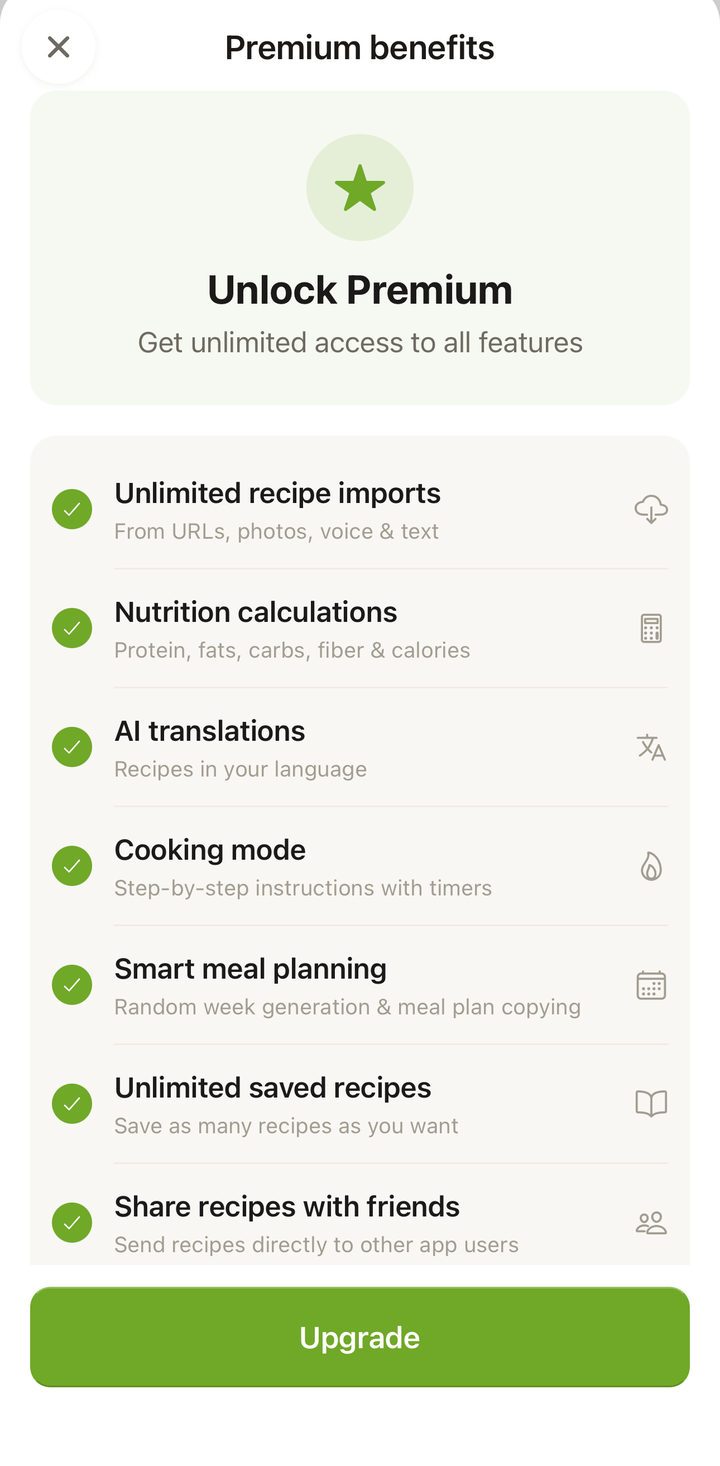
Cookonut Premium removes limits and unlocks extra features. Here’s what you get, how much it costs, and how to upgrade.
What Premium Includes
| Feature | Free | Premium |
|---|---|---|
| AI imports per month | 10 | Unlimited |
| Saved recipes | Up to 50 | Unlimited |
| Manual recipe creation | Unlimited | Unlimited |
| Meal planner (build by hand) | Yes | Yes |
| Grocery list | Yes | Yes |
| Cooking mode (with timers) | No | Yes |
| Smart meal planning (random week, copy) | No | Yes |
| Cookbooks | Yes | Yes |
| Cloud sync & offline | Yes | Yes |
| Export & print | Yes | Yes |
| Nutrition info | No | Yes |
| Auto-translation on import | Within 10 AI imports/month | Unlimited |
| On-demand recipe translation | No | Yes |
| User-to-user sharing | No | Yes |
Premium Pricing
- Monthly: $4.99/month
- Annual: $38.99/year (save 35% compared to monthly)
Both plans include all Premium features. The annual plan is the best value if you plan to use Cookonut long-term.
How to Upgrade
- Open Cookonut
- Go to the More tab
- Tap Upgrade to Premium
- Choose your plan — Monthly or Annual
- Confirm the purchase through the App Store (iOS) or Google Play (Android)
- Premium features activate immediately
When to Upgrade
Consider upgrading if:
- You’re hitting the 10 credit limit — heavy importers who save more than 10 recipes a month benefit from unlimited imports
- You have more than 50 recipes — Premium removes the recipe storage cap
- You want step-by-step cooking mode — large-text guided cooking with built-in timers
- You want Smart Meal Planning — auto-fill a random week and copy a week forward
- You want nutrition info — see calories, protein, carbs, and fat for every recipe
- You cook in multiple languages — on-demand recipe translation lets you translate any saved recipe into your preferred language whenever you want (auto-translation on import is available on every plan)
- You want to share recipes with other Cookonut users — direct user-to-user sharing is a Premium feature
Premium Features in Detail
Unlimited AI Imports
Import as many recipes as you want from websites, social media, photos, voice, and pasted text. No monthly credit limit.
Unlimited Recipe Storage
Save as many recipes as you want. No cap on your collection size.
Cooking Mode
Follow any recipe step by step with large, kitchen-friendly text, a progress bar, a screen that stays on, and built-in cooking timers.
Smart Meal Planning
Generate a random week to auto-fill your plan from your collection, and copy a week forward to reuse a plan. Building a plan by hand stays free.
Nutrition Information
See estimated nutritional values (calories, protein, carbs, fat, fiber) for every recipe, calculated from the ingredients. Great for dietary awareness and meal planning.
On-Demand Recipe Translation
Translate saved recipes between Cookonut’s 9 supported languages whenever you want. Found an amazing Italian recipe in Italian? Translate it to English with one tap. Auto-translation on import is available on every plan — Premium adds on-demand translation of recipes you’ve already saved.
User-to-User Sharing
Share recipes directly with other Cookonut users. The recipe arrives in their app ready to save — complete with all details and formatting.
Managing Your Subscription
Viewing Your Subscription Status
Go to Settings to see your current plan, renewal date, and subscription details.
Canceling Premium
If you decide to cancel:
- Go to your phone’s subscription settings (App Store or Google Play)
- Find Cookonut in your subscriptions
- Tap Cancel Subscription
- You’ll keep Premium access until the end of your current billing period
What Happens After Canceling
- You keep access to all your recipes (they’re not deleted)
- Features revert to the free plan limits
- If you have more than 50 recipes, existing recipes are preserved but you can’t add new ones until you’re under the limit (or re-subscribe)
- Import credits revert to 10/month
Free Trial
Check the upgrade screen for any available free trial offers. Trials let you experience Premium before committing.
Restoring a Purchase
If you reinstall Cookonut or switch devices and your Premium isn’t showing:
- Go to Settings
- Tap Restore Purchase
- Your subscription is restored from the App Store or Google Play
Premium and Your Cookonut Account
Premium is linked to the Cookonut account you’re signed in to, and it works on every device where you sign in to that account. If you bought Premium before signing in — for example during onboarding — sign in first, then tap Link my Premium or Restore Purchases in Settings. Linking the same subscription to another Cookonut account moves Premium there, and the first account goes back to Free.
Thanks for your feedback! We're glad it helped.