
Search & Filter Recipes
Articles in this section
🚀 Getting Started
📥 Importing Recipes
- How to Import Recipes
- Import from a Website
- Import from Instagram
- Import from Facebook
- Import from TikTok
- Import from Pinterest
- Import from YouTube
- Scan a Recipe from Photo
- Dictate a Recipe by Voice
- Import by Pasting Text
- Use the In-App Browser
- Write a Recipe from Scratch
- Review & Edit Before Saving
- Understanding Import Credits
📂 Managing Recipes
👨🍳 Cooking Mode
📅 Meal Planning
🛒 Grocery List
📤 Sharing & Export
💳 Billing & Subscription
⚙️ Account & Settings
ℹ️ About Cookonut
💡 Ideas & Feedback
As your collection grows, you’ll want fast ways to find the right recipe. Cookonut offers text search, category filters, and sorting options so you can find any recipe in seconds.
Text Search
The search bar at the top of the Recipes tab is the quickest way to find something:
- Tap the search bar
- Type your query — a recipe name or keyword
- Results appear as you type
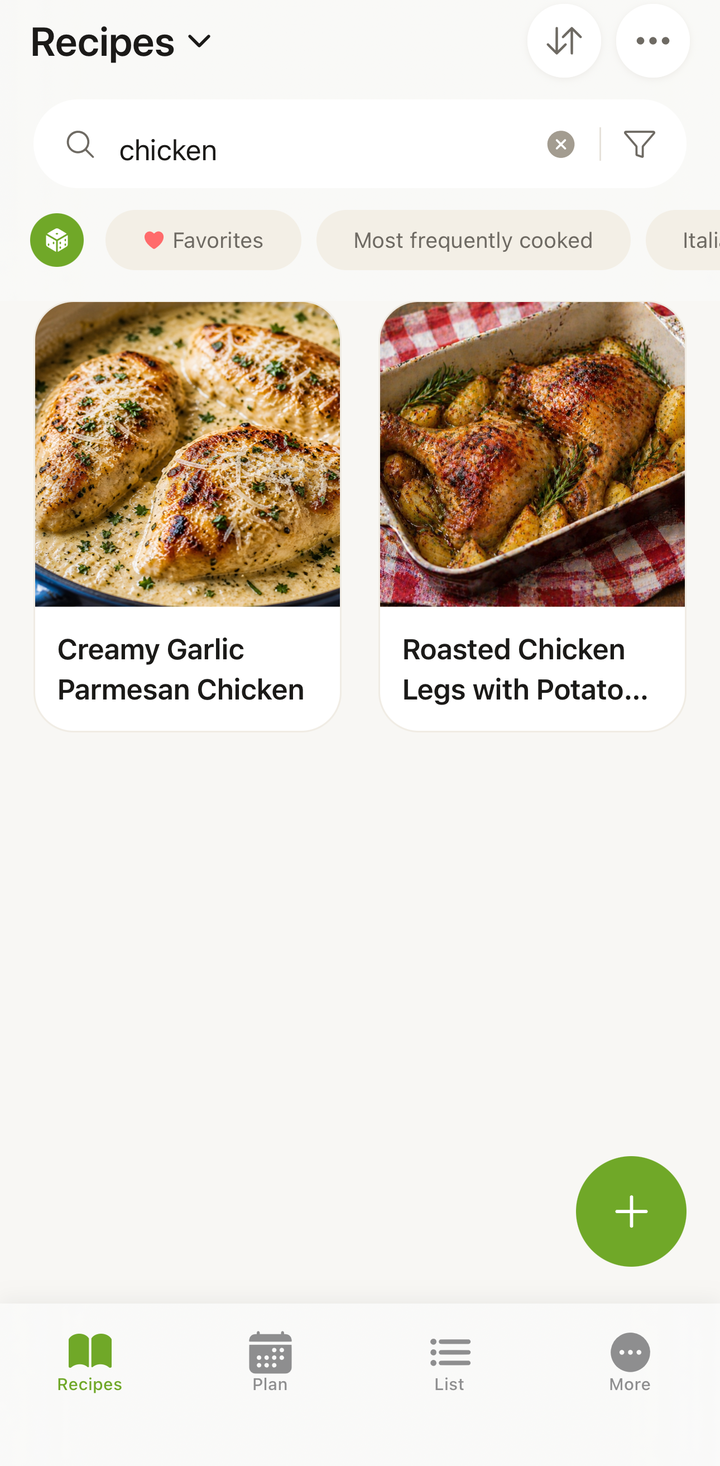
Search matches recipe titles only. For example, searching “pasta” finds “Creamy Garlic Pasta,” “Pasta Carbonara,” and any other recipe with “pasta” in its name.
You can type more than one word to narrow things down — every word must appear in the title. Searching “chicken curry” finds recipes whose names contain both “chicken” and “curry.”
Note: the search bar does not look inside ingredients, tags, or descriptions. To find recipes by what’s in them, use the dedicated ingredient search instead.
Using Filters
For more targeted browsing, use the filter system:
- On the Recipes tab, tap the Filter icon (funnel icon)
- Select your filter criteria
- Tap Apply to see matching recipes
Available filters include:
- Meal type — breakfast, lunch, dinner, snack, dessert
- Cuisine — Italian, Asian, Mexican, French, and more
- Cook time — ≤15 min, ≤30 min, ≤60 min
- Tags — any custom tags you’ve added
- Cookbook — recipes in a specific cookbook
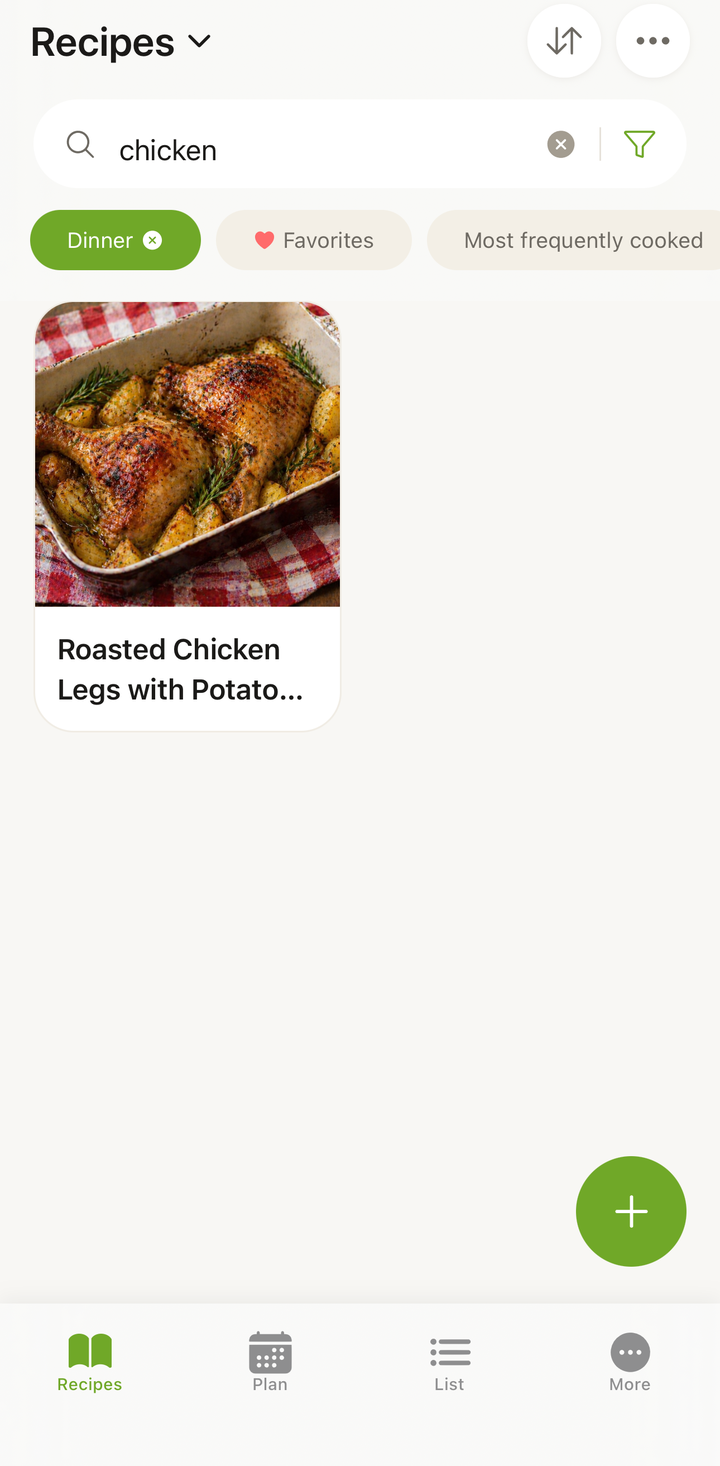
You can combine multiple filters. For example, filter by “dinner” + “Italian” + “≤30 min” to find a quick Italian dinner recipe.
Clearing Filters
When filters are active, you’ll see an indicator on the filter icon. To clear them:
- Tap the Filter icon again
- Tap Clear or deselect individual filters
- Tap Apply to return to your full collection
Sorting Your Recipes
Tap the sort button in the Recipes tab header to change how recipes are ordered:
- Recently added — newest recipes first (default)
- Recently cooked — recipes you’ve used recently in cooking mode
- Most frequently cooked — your most-made recipes
- Alphabetical (A–Z) and Alphabetical (Z–A) — by recipe title
- Recently edited — recipes you changed most recently
Searching Inside a Cookbook
When you open a specific cookbook, you can search within it:
- Open a cookbook from the Cookbooks tab
- Use the search bar at the top
- Only recipes in that cookbook will be searched
This is useful when you have a large cookbook and want to find something specific within it.
Search Tips
- Be specific when you know the recipe name — “Thai green curry” is better than “curry”
- Use the dedicated ingredient search when you want to cook with what you have — the title search bar won’t find recipes by ingredient
- Use filters for broad browsing — when you know you want a quick breakfast but not a specific recipe
- Combine search and filters — search for “salmon” by title with the “dinner” filter to find salmon dinner recipes
Finding Recipes You Haven’t Tried Yet
If you’ve been using cooking mode, your “recently cooked” history shows which recipes you’ve made. Sort by “recently cooked” to see what you’ve made lately — and scroll down to rediscover saved recipes you haven’t cooked in a while, a great way to surface forgotten gems in your collection.
Thanks for your feedback! We're glad it helped.