
Share a Recipe with Friends
Articles in this section
🚀 Getting Started
📥 Importing Recipes
- How to Import Recipes
- Import from a Website
- Import from Instagram
- Import from Facebook
- Import from TikTok
- Import from Pinterest
- Import from YouTube
- Scan a Recipe from Photo
- Dictate a Recipe by Voice
- Import by Pasting Text
- Use the In-App Browser
- Write a Recipe from Scratch
- Review & Edit Before Saving
- Understanding Import Credits
📂 Managing Recipes
👨🍳 Cooking Mode
📅 Meal Planning
🛒 Grocery List
📤 Sharing & Export
💳 Billing & Subscription
⚙️ Account & Settings
ℹ️ About Cookonut
💡 Ideas & Feedback
Found a recipe that someone you know would love? Cookonut makes it easy to share recipes — whether the other person uses Cookonut or not.
Sharing via Text, Email, or Other Apps
You can share any recipe through your phone’s standard sharing options:
- Open the recipe you want to share
- Tap the ••• options menu, then Share
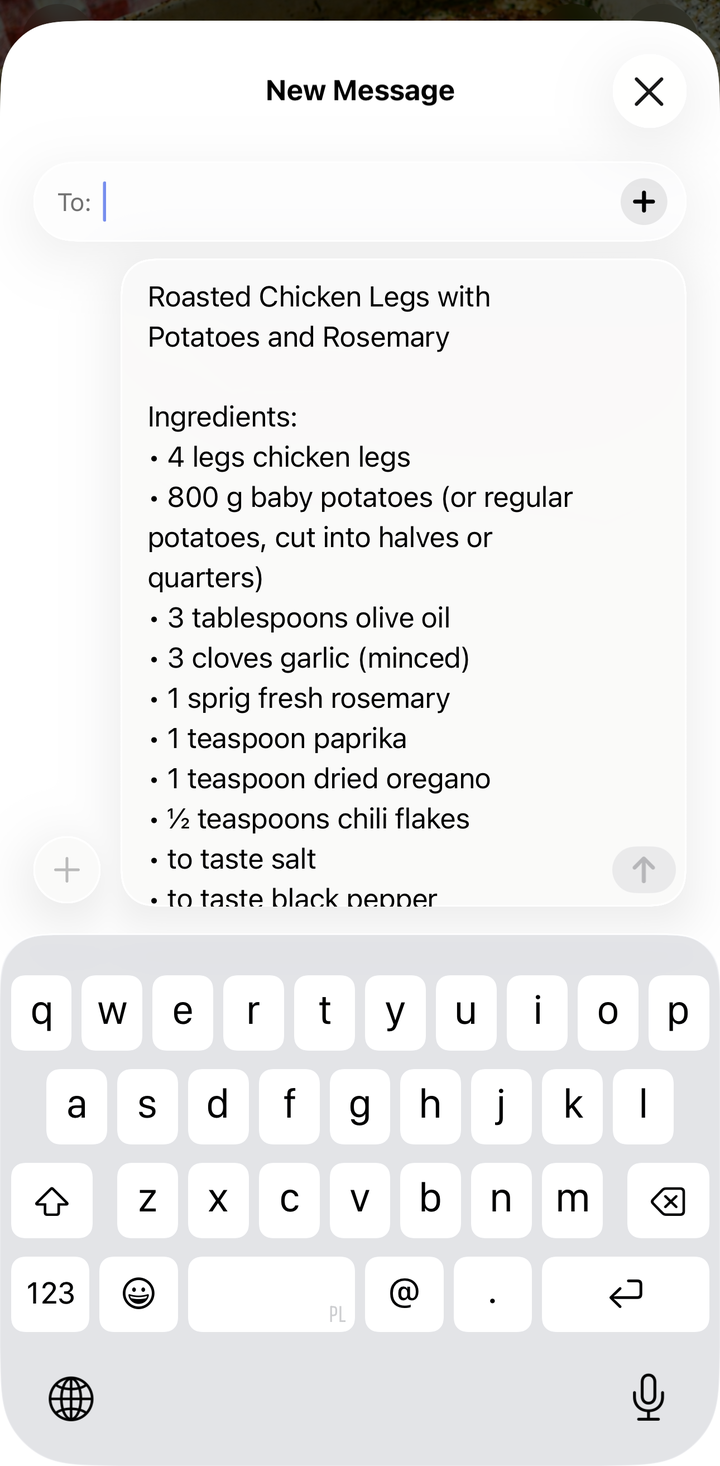
- Choose Share as text to open your phone’s share sheet, then pick a method:
- Text message / iMessage
- Messenger
- Copy
- Or any other app in your share sheet
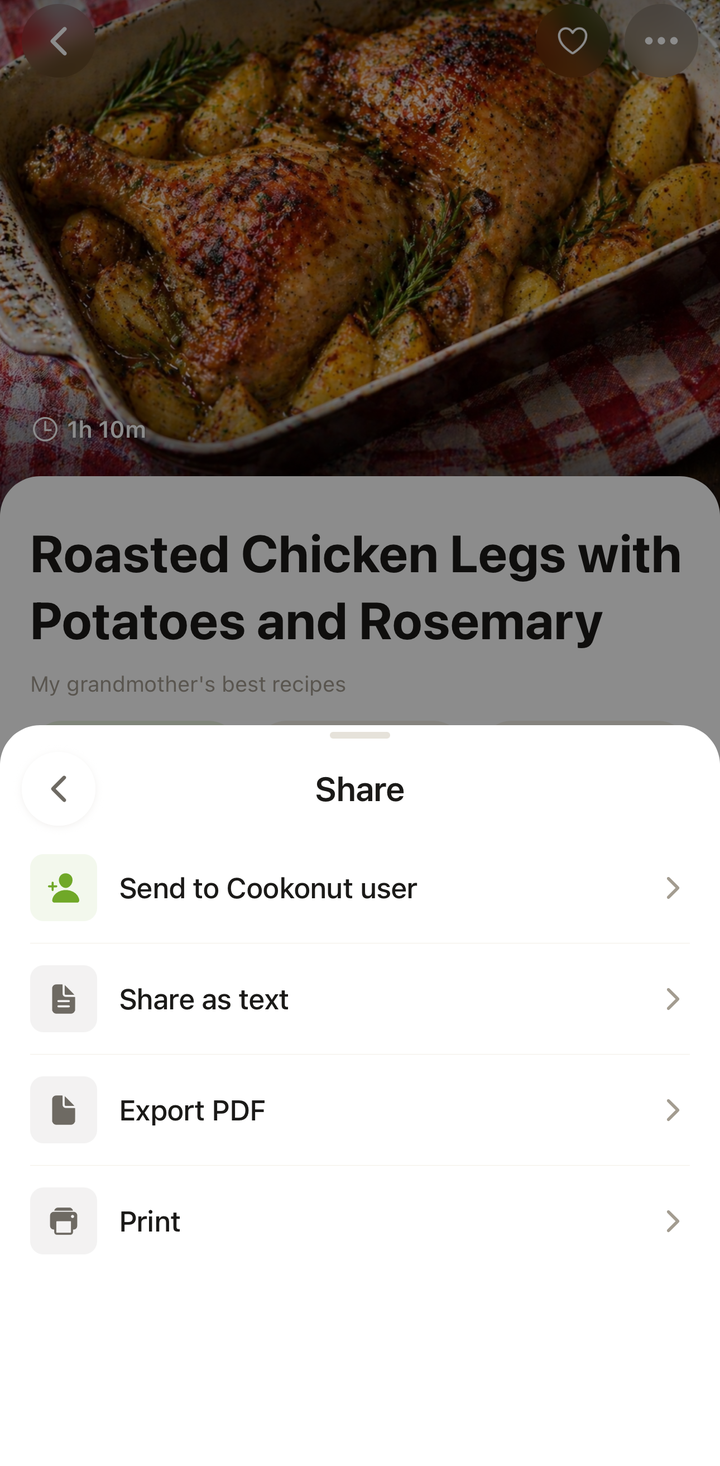
The recipient gets a nicely formatted version of the recipe with the title, ingredients, and instructions. They can read it without needing to install Cookonut.
Sharing Directly with Cookonut Users (Premium)
With a Premium subscription, you can share recipes directly with other Cookonut users:
- Open the recipe
- Tap the ••• options menu, then Share
- Choose Send to Cookonut user
- The other person receives the recipe right in their Cookonut app
- They can save it to their own collection with one tap
This is the smoothest sharing experience — the recipe arrives complete with all details, formatting, and the photo, ready to be saved.
Note: Direct user-to-user sharing within Cookonut is a Premium feature. Sharing via text, email, and other external apps is available to everyone.
What Gets Shared
When you share a recipe, the recipient gets:
- Recipe title and description
- Full ingredients list with quantities and units
- Step-by-step instructions
- Prep time, cook time, and servings
- Photo (when sharing directly within Cookonut)
Sharing Scenarios
“You have to try this!” — Share a recipe you loved with a friend who’d enjoy it too.
Family recipe exchange — Send grandma’s pie recipe to your siblings so everyone has a copy.
Dinner party coordination — Share the recipes you’re making so guests can see what’s coming (and offer to bring something that pairs well).
Cooking together — Share the recipe with your cooking partner so you both have it on your phones.
Sharing Multiple Recipes
To share several recipes at once (like a whole cookbook’s worth):
- Share them individually — each recipe gets its own share
- Or share a meal plan that includes multiple recipes (see the Share & Export Your Meal Plan article)
Privacy
Sharing is always intentional — recipes in your collection are private by default. Nothing is shared unless you explicitly open the ••• menu, choose Share, and pick a method or recipient.
Free vs. Premium Sharing
| Feature | Free | Premium |
|---|---|---|
| Share via text, email, WhatsApp, etc. | Yes | Yes |
| Export as PDF | Yes | Yes |
| Print recipes | Yes | Yes |
| Share directly within Cookonut (user-to-user) | No | Yes |
Tips
- Share from the recipe detail view for the most complete sharing options
- For non-Cookonut users, sharing via text or email works perfectly — they don’t need the app
- For Cookonut users, direct sharing (Premium) is the best experience since the recipe imports directly into their collection
Thanks for your feedback! We're glad it helped.