
Delete a Recipe
Articles in this section
🚀 Getting Started
📥 Importing Recipes
- How to Import Recipes
- Import from a Website
- Import from Instagram
- Import from Facebook
- Import from TikTok
- Import from Pinterest
- Import from YouTube
- Scan a Recipe from Photo
- Dictate a Recipe by Voice
- Import by Pasting Text
- Use the In-App Browser
- Write a Recipe from Scratch
- Review & Edit Before Saving
- Understanding Import Credits
📂 Managing Recipes
👨🍳 Cooking Mode
📅 Meal Planning
🛒 Grocery List
📤 Sharing & Export
💳 Billing & Subscription
⚙️ Account & Settings
ℹ️ About Cookonut
💡 Ideas & Feedback
Sometimes a recipe just doesn’t work out — you tried it and it was disappointing, or it’s a duplicate, or it no longer fits your diet. Here’s how to remove it from your collection for good.
How to Delete a Recipe
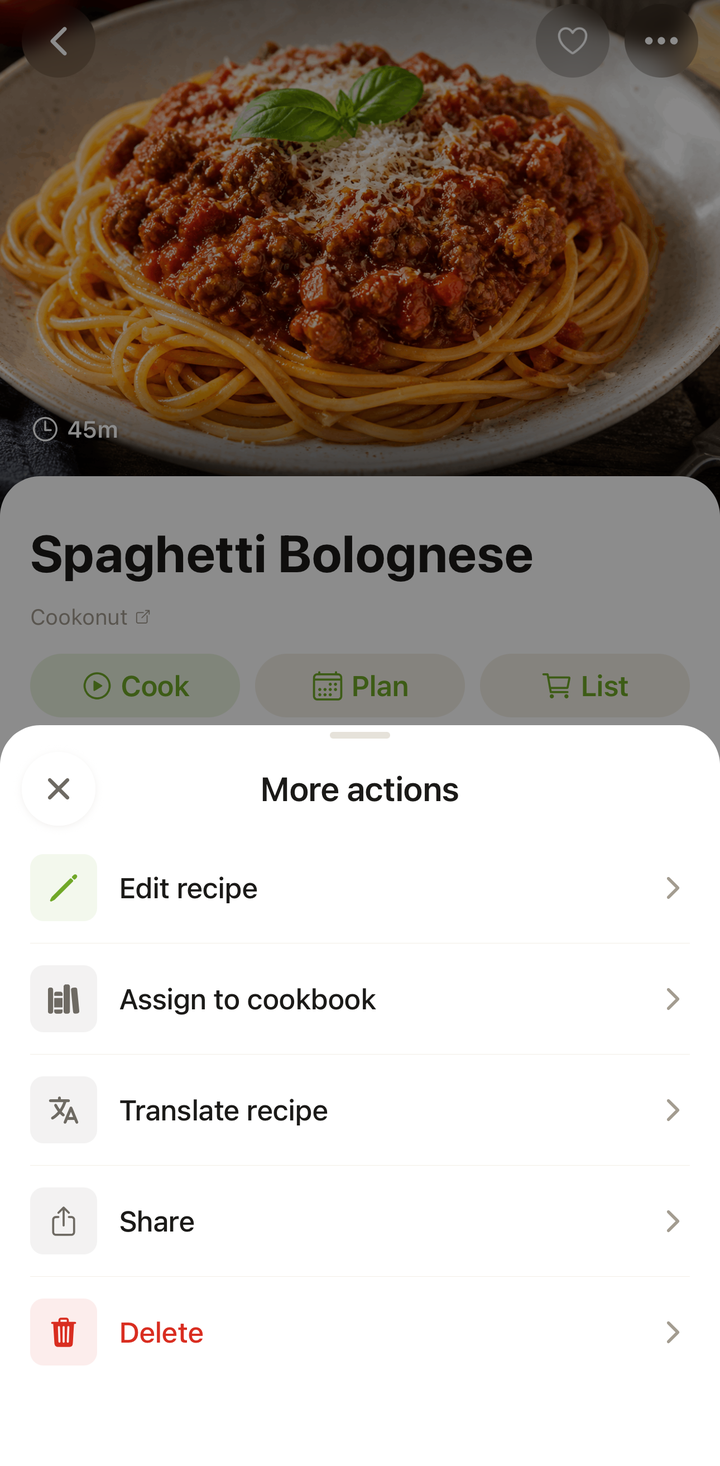
A recipe is deleted from its detail view:
- Open the recipe you want to delete
- Tap the ••• options menu
- Choose Delete
- Confirm the deletion when prompted
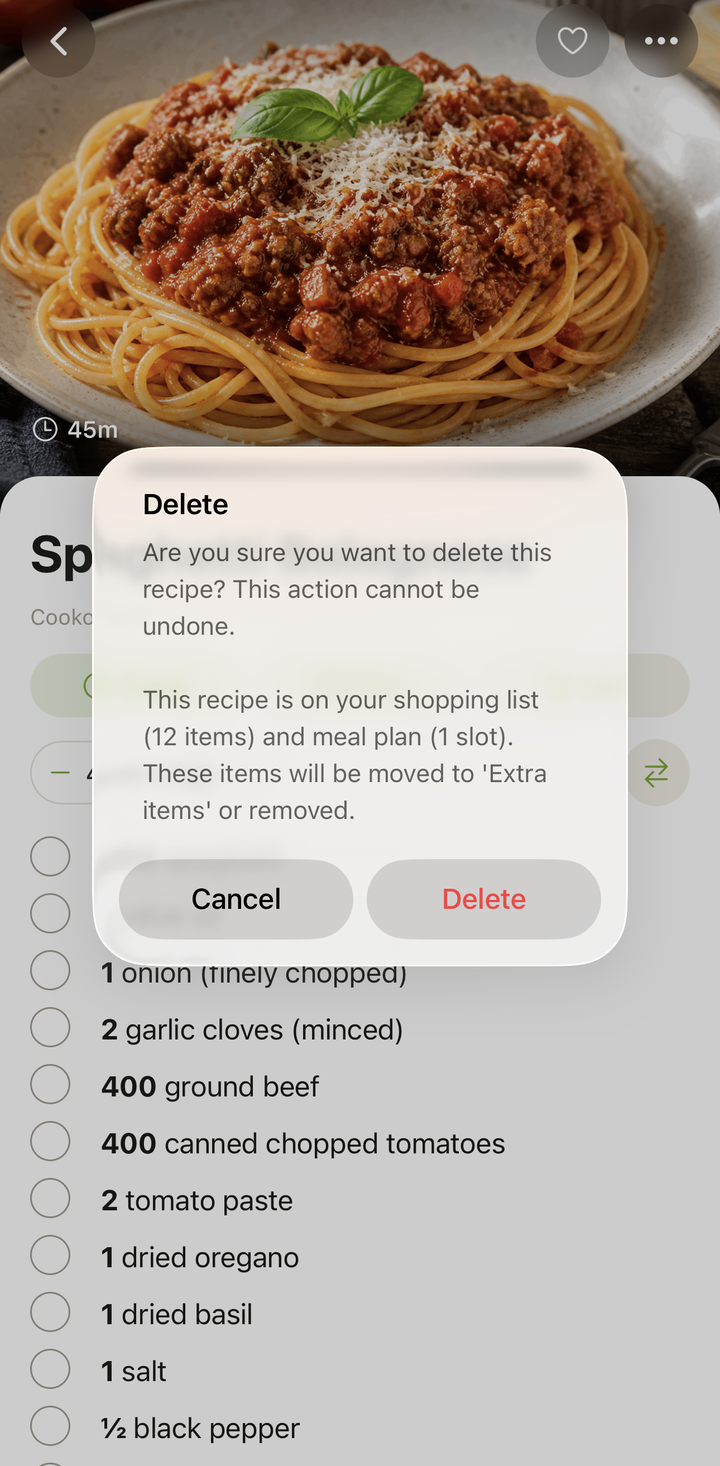
Confirmation Prompt
Cookonut always asks you to confirm before deleting. You’ll see a prompt like “Are you sure you want to delete this recipe? This action cannot be undone.” This prevents accidental deletions from a stray swipe or tap.
Deletion Is Permanent
Once you confirm, the recipe is permanently removed from your collection. It’s gone from all cookbooks, meal plans, and your recipe list. This action cannot be undone — there is no trash folder or recovery option.
If you’re unsure about deleting a recipe, consider removing it from specific cookbooks instead (see below) or keeping it and adding a note like “didn’t love this — try modifying next time.”
Removing from a Cookbook vs. Deleting
These are two very different actions:
| Action | What happens |
|---|---|
| Remove from a cookbook | Recipe is removed from that specific cookbook but stays in your collection and other cookbooks |
| Delete | Recipe is permanently removed from your entire collection, all cookbooks, and all meal plans |
If you’re reorganizing your cookbooks, you almost certainly want to remove the recipe from a cookbook, not delete it. To do that, long-press the recipe card, choose Manage Cookbooks, and uncheck the cookbook.
What Happens to Meal Plans
If a deleted recipe was included in any meal plans, it will be removed from those plans as well. The meal plan slot will show as empty. Keep this in mind if you’re deleting a recipe that’s part of an upcoming meal plan.
Re-importing a Deleted Recipe
If you delete a recipe and later change your mind, you can always re-import it from the original source. If you saved the recipe from a website or social media, just import it again using the same link. Note that re-importing will use an import credit.
Tips
- Think twice before deleting — if the recipe wasn’t great, consider editing it or adding notes about what to change next time
- Remove from a cookbook first — if you just want the recipe out of a specific cookbook, uncheck it in Manage Cookbooks instead of deleting it entirely
- Re-import is always an option — if the original source is still available, you can bring the recipe back
Thanks for your feedback! We're glad it helped.