
Export a Recipe as PDF
Articles in this section
🚀 Getting Started
📥 Importing Recipes
- How to Import Recipes
- Import from a Website
- Import from Instagram
- Import from Facebook
- Import from TikTok
- Import from Pinterest
- Import from YouTube
- Scan a Recipe from Photo
- Dictate a Recipe by Voice
- Import by Pasting Text
- Use the In-App Browser
- Write a Recipe from Scratch
- Review & Edit Before Saving
- Understanding Import Credits
📂 Managing Recipes
👨🍳 Cooking Mode
📅 Meal Planning
🛒 Grocery List
📤 Sharing & Export
💳 Billing & Subscription
⚙️ Account & Settings
ℹ️ About Cookonut
💡 Ideas & Feedback
Want a polished, printable version of a recipe? Export it as a PDF from Cookonut. The PDF is clean, well-formatted, and perfect for sharing, printing, or keeping as a backup.
How to Export as PDF
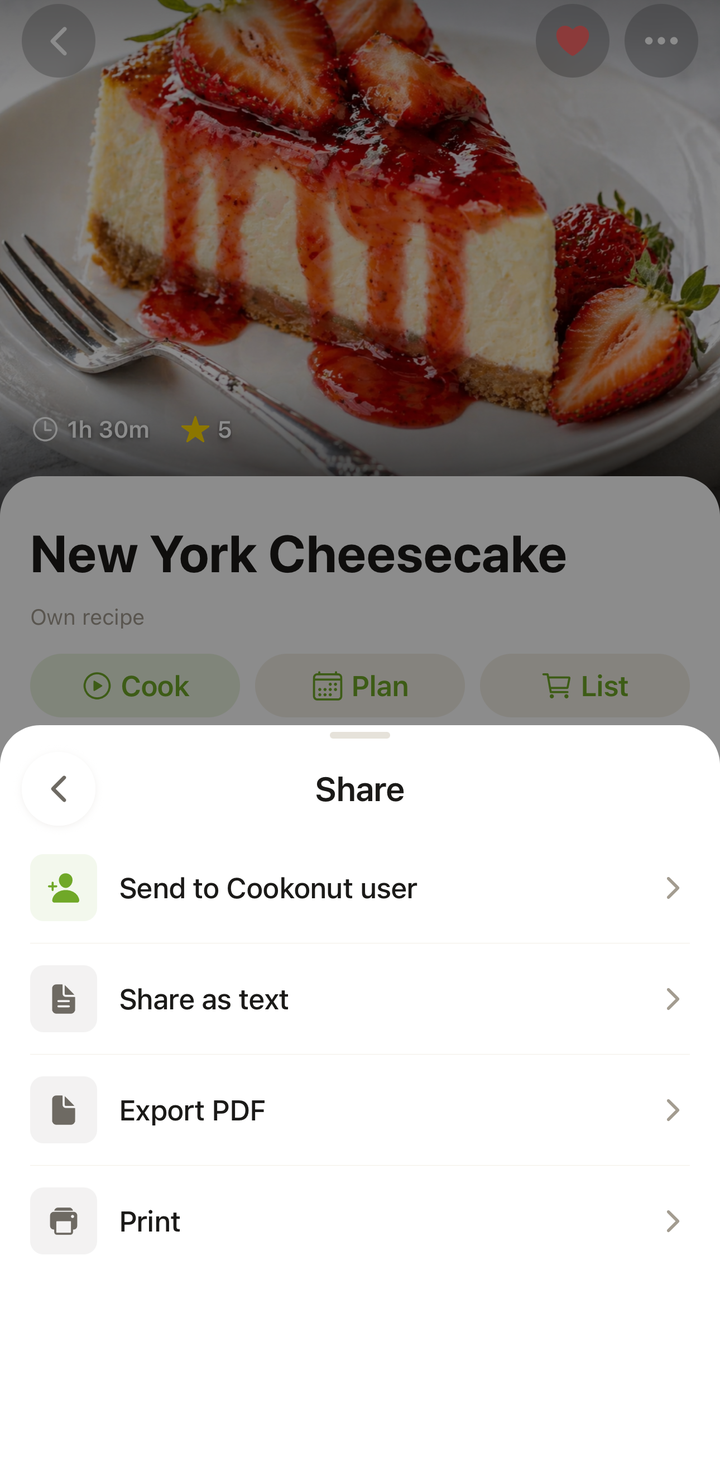
- Open the recipe you want to export
- Tap the ••• options menu, then Share
- Choose Export PDF
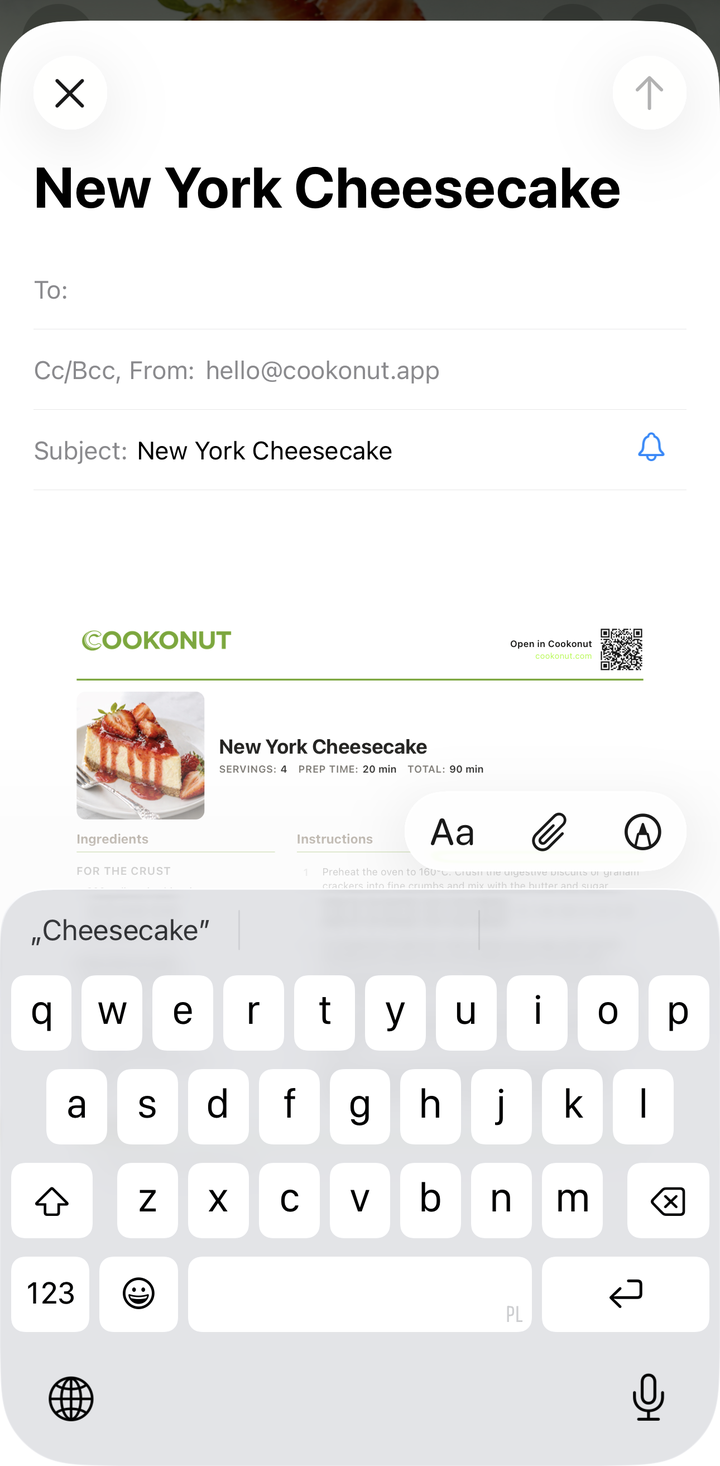
- Cookonut generates the PDF and opens your phone’s share sheet
- From the share sheet you can:
- Share the PDF via email, messaging apps, or AirDrop
- Save it to your Files app
- Print it directly
What’s in the PDF
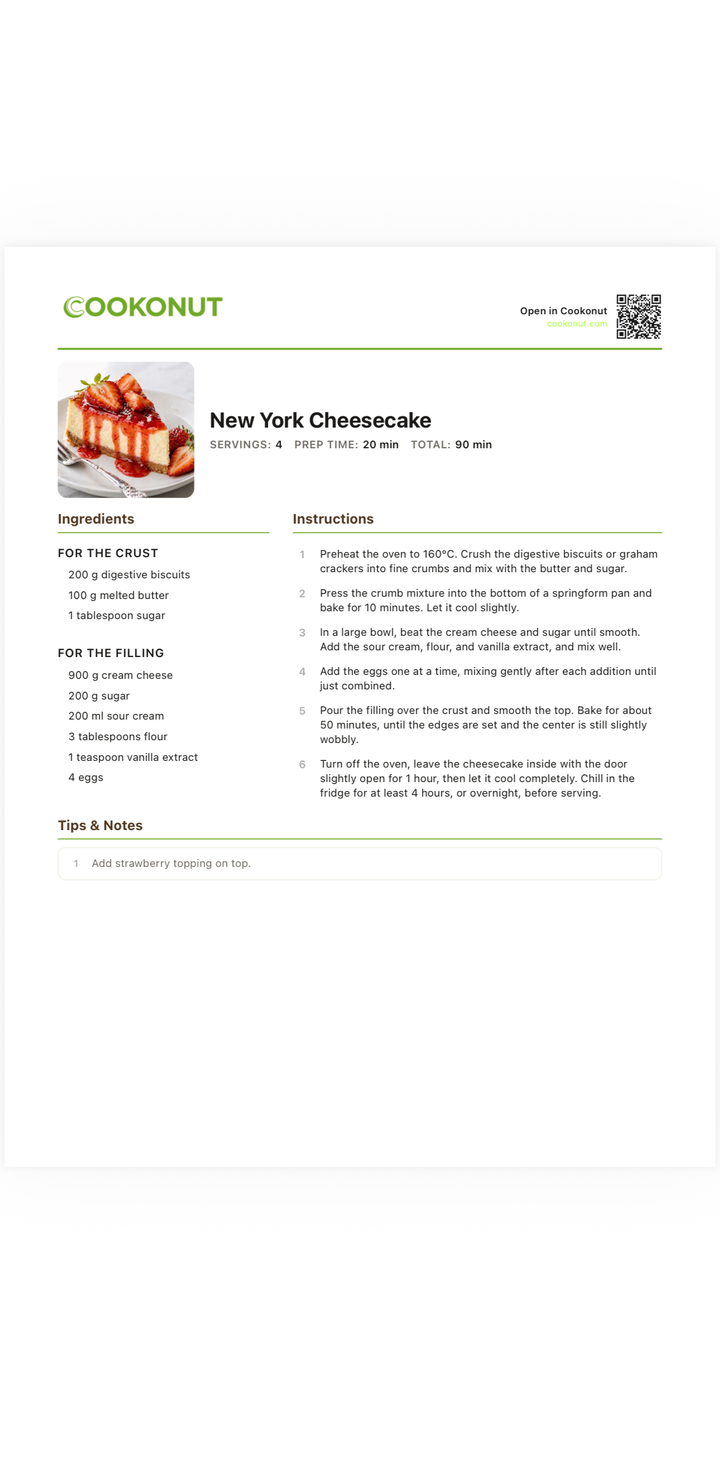
The exported PDF includes:
- Recipe photo (if available)
- Title and description
- Prep time, cook time, and servings
- Ingredients list with quantities and units
- Step-by-step instructions
- Tags and categories
Everything is laid out in a clean, readable format that looks great on screen and on paper.
Saving the PDF
To save the PDF to your device:
- In the share sheet, tap Save to Files (iOS) or the equivalent on Android
- Choose a location (iCloud Drive, On My Phone, Google Drive, etc.)
- Tap Save
The PDF is now available in your files for future reference, even without Cookonut.
Sharing the PDF
To send the PDF to someone:
- In the share sheet, choose your preferred method:
- Email — great for sharing with someone who wants to print it
- AirDrop — quick sharing with nearby Apple devices
- Messaging apps — WhatsApp, Messenger, etc.
- Cloud storage — save to Google Drive, Dropbox, or iCloud
The recipient gets a professional-looking recipe document they can view on any device.
Use Cases for PDF Export
Building a personal recipe binder: Export your favorite recipes and print them for a physical binder in the kitchen.
Sharing with non-tech-savvy family: Some people prefer a printed recipe over an app. Export as PDF, print, and hand it over.
Backup: Save PDFs to cloud storage as a backup of your most important recipes.
Recipe cards as gifts: Print beautifully formatted recipes to include in gift baskets or holiday card mailings.
Cooking classes: If you teach cooking, export recipes as PDFs to share with students.
PDF and Serving Scaling
The PDF reflects the current serving size. If you’ve scaled a recipe from 4 to 8 servings before exporting, the PDF will show the 8-serving quantities. Set the servings you want before exporting.
PDF and Units
The PDF uses your current unit preference (metric or imperial). If you want the PDF in a different unit system, switch your unit preference before exporting.
Tips
- Set servings and units before exporting — the PDF reflects whatever’s currently displayed
- Export your top recipes to have backups outside the app
- Print on nice paper for recipe gifts
- Save to cloud storage for access from any device
PDF Export Is Free
Exporting recipes as PDF is available on all plans, including the free tier.
Thanks for your feedback! We're glad it helped.