
Share & Export Your Meal Plan
Articles in this section
🚀 Getting Started
📥 Importing Recipes
- How to Import Recipes
- Import from a Website
- Import from Instagram
- Import from Facebook
- Import from TikTok
- Import from Pinterest
- Import from YouTube
- Scan a Recipe from Photo
- Dictate a Recipe by Voice
- Import by Pasting Text
- Use the In-App Browser
- Write a Recipe from Scratch
- Review & Edit Before Saving
- Understanding Import Credits
📂 Managing Recipes
👨🍳 Cooking Mode
📅 Meal Planning
🛒 Grocery List
📤 Sharing & Export
💳 Billing & Subscription
⚙️ Account & Settings
ℹ️ About Cookonut
💡 Ideas & Feedback
Once you’ve planned your week, you might want to share it with your partner, family, or roommates so everyone knows what’s for dinner. Cookonut makes it easy to share your meal plan.
Sharing Your Meal Plan
- Go to the Plan tab
- Navigate to the week you want to share
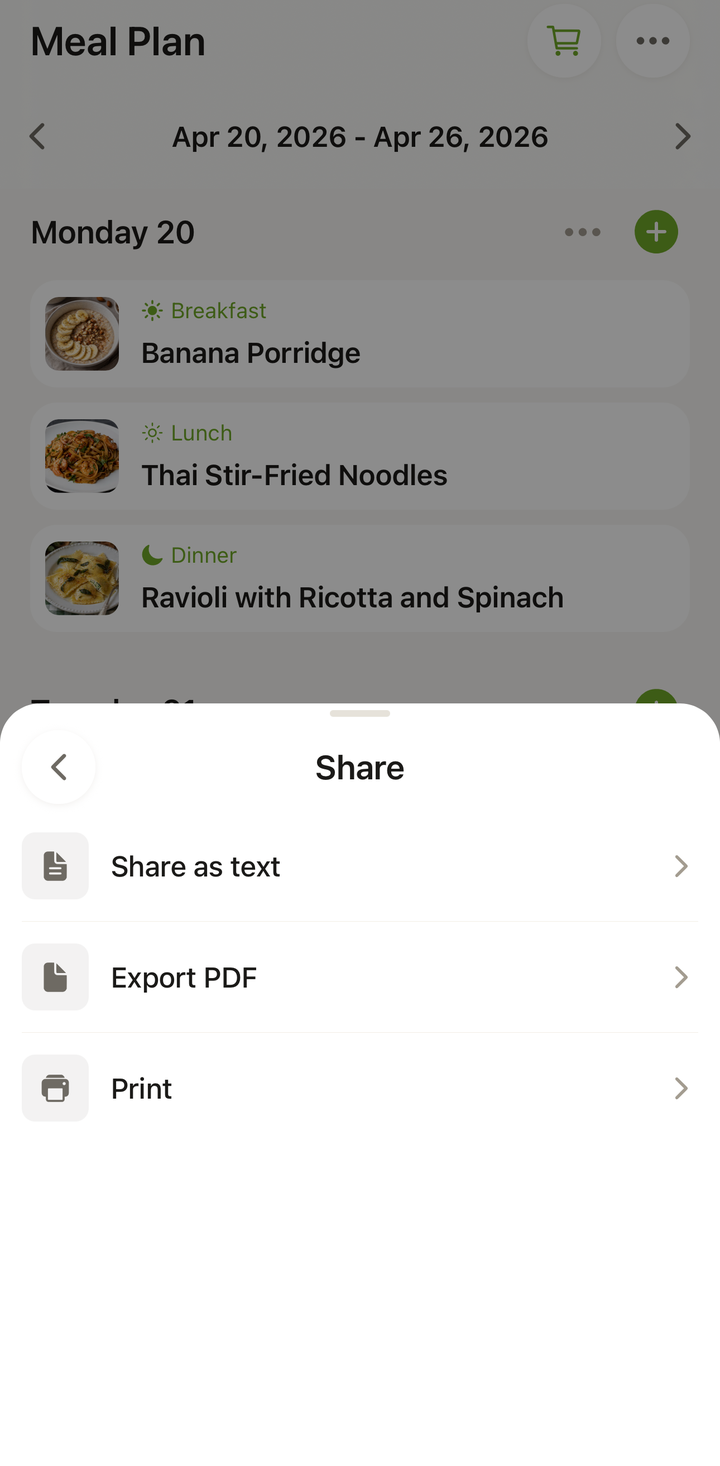
- Tap the ••• icon at the top to open the Manage week sheet
- Choose Share as text
- Your phone’s share sheet opens — select how you want to share:
- Text message
- WhatsApp, Messenger, or other messaging apps
- Copy to clipboard
What Gets Shared
The shared meal plan includes:
- Each day of the week with its planned meals
- Recipe names for each slot (breakfast, lunch, dinner, snack)
- A clean, readable format suitable for any messaging app
The recipient sees a clear overview of the week’s plan — even if they don’t have Cookonut installed.
Example of a Shared Plan
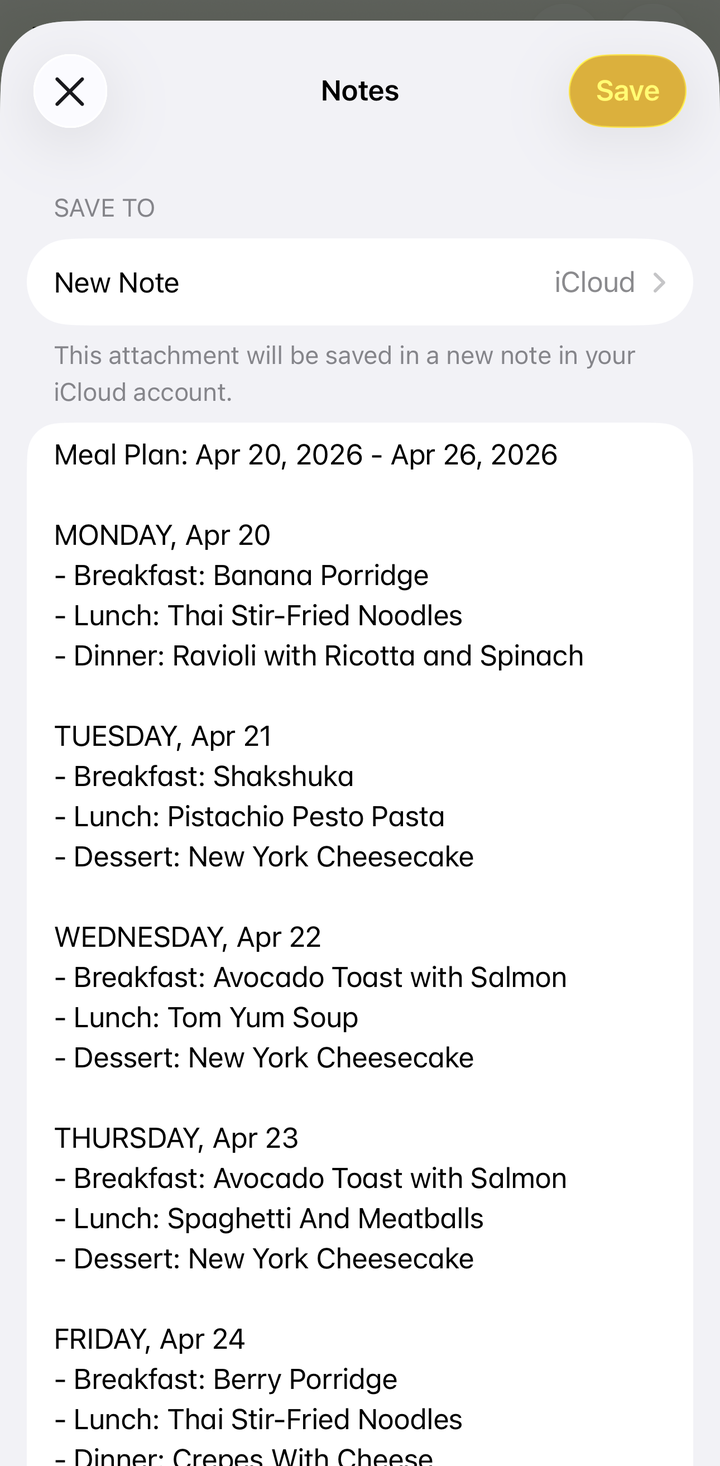
When you share via text or email, the plan looks something like:
Meal Plan: March 17 - 23
Monday Breakfast: Overnight Oats Dinner: Chicken Stir-Fry
Tuesday Lunch: Greek Salad Dinner: Spaghetti Bolognese
(and so on for each day)
Empty slots are omitted to keep the message clean.
Exporting as Text, PDF, or Print
If you want to save your meal plan for reference, the Manage week (•••) sheet has three options:
- Tap the ••• icon to open Manage week
- Choose how to export:
- Share as text — opens the share sheet so you can copy or paste it into your notes app, a document, or anywhere you’d like to keep it
- Export PDF — produces a clean PDF of the week
- Print — sends the plan straight to your printer
This is useful for:
- Keeping a record of what you cooked each week
- Posting the plan on the fridge (print it out!)
- Saving plans you particularly liked to reuse later
Sharing with Household Members
A common workflow for families:
- One person plans the meals in Cookonut
- They share the plan with the household via a family group chat
- Everyone knows what’s for dinner each night
- The planner builds the shopping list and goes shopping (or shares the list too)
Combine this with the Share Your Grocery List feature to share both the plan and the shopping list.
Tips
- Share at the start of the week so everyone can plan around it
- Share the grocery list at the same time — send both in the same message thread
- Keep it flexible — let household members suggest swaps before you finalize
- Share only planned days — if you only planned Monday through Friday, that’s what gets shared
Sharing Is Free
Sharing and exporting your meal plan is available on all plans, including the free tier.
Thanks for your feedback! We're glad it helped.