
Plan Your Meals for the Week
Articles in this section
🚀 Getting Started
📥 Importing Recipes
- How to Import Recipes
- Import from a Website
- Import from Instagram
- Import from Facebook
- Import from TikTok
- Import from Pinterest
- Import from YouTube
- Scan a Recipe from Photo
- Dictate a Recipe by Voice
- Import by Pasting Text
- Use the In-App Browser
- Write a Recipe from Scratch
- Review & Edit Before Saving
- Understanding Import Credits
📂 Managing Recipes
👨🍳 Cooking Mode
📅 Meal Planning
🛒 Grocery List
📤 Sharing & Export
💳 Billing & Subscription
⚙️ Account & Settings
ℹ️ About Cookonut
💡 Ideas & Feedback
The meal planner is one of Cookonut’s most loved features. It gives you a clear view of your week, helps you eat more varied meals, and makes grocery shopping effortless.
Opening the Meal Planner
- Tap the Plan tab at the bottom of the screen
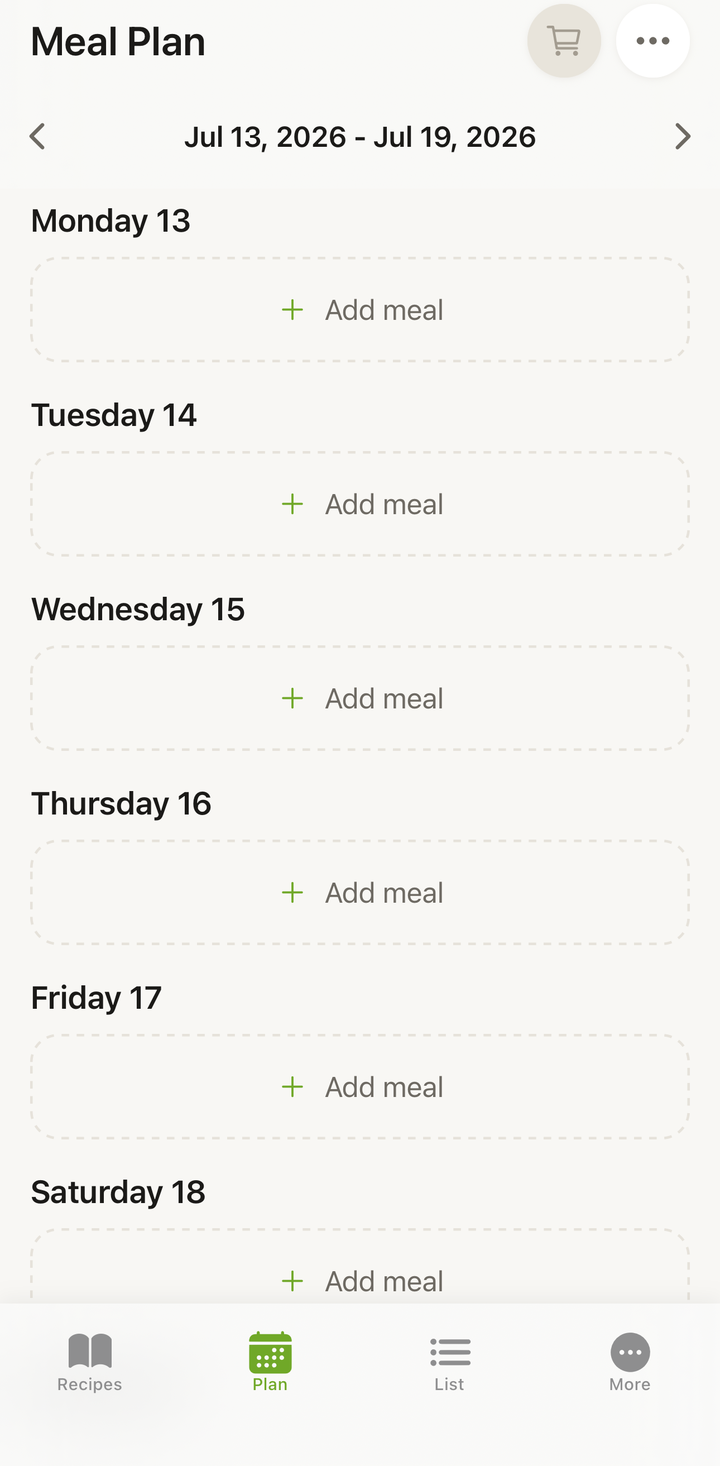
- You’ll see the current week laid out with days and meal slots
How the Week View Works
The meal planner shows seven days at a glance. By default, each day has slots for six meal types:
- Breakfast
- Lunch
- Dinner
- Snack
- Dessert
- Drinks
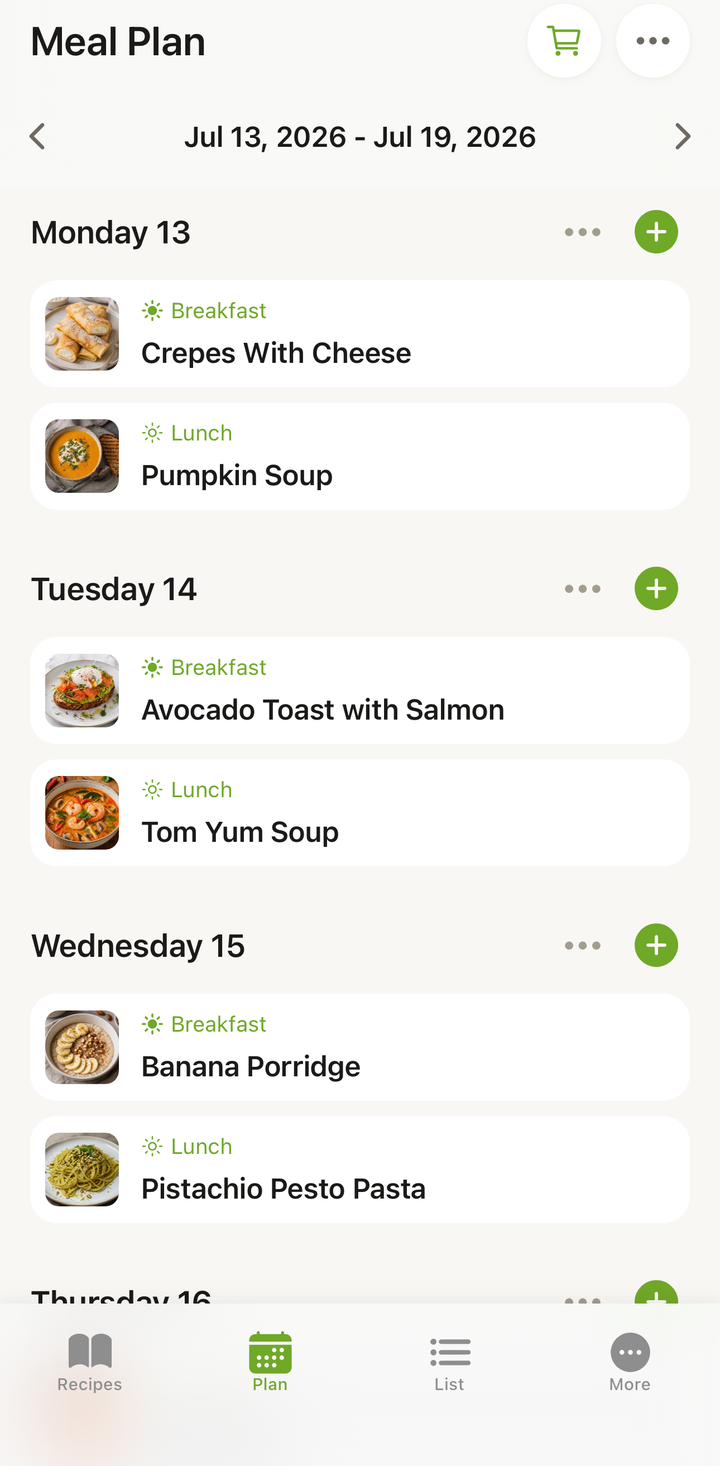
Slots can be empty (waiting to be filled) or show a recipe you’ve assigned. You can see recipe names and thumbnails at a glance.
The order, the names, and which types you see at all are up to you — see Customize Your Meal Types below.
Customize Your Meal Types
Those six meal types are a starting point, not a fixed rule. You can reorder them, give them your own names, and hide the ones you never use.
To open the screen:
- Go to the More tab
- Tap Personalization
- Choose Meal types
You’ll see all six types in a single list:
- Reorder — grab the drag handle next to a type and move it up or down
- Rename — tap the name and type your own (turn Snack into Supper, for example). Restore default name brings back the built-in one
- Hide — the switch next to a type removes it from your meal plan. At least one type has to stay visible
- Reset to defaults — puts the order, the names, and the visibility back the way they started
Tap Save when you’re done.
What Changes After You Save
- Your order applies everywhere: the meal type picker, the order of meals within a day, the random week generator, recipe filters, widgets, and PDF exports
- Your names show up anywhere a meal type is displayed
- Hidden types are no longer offered when you add a meal or generate a random week. Meals you already planned under a hidden type stay visible in your plan — hiding never deletes anything
- Recipe filters and the recipe editor still show all six types (under your names, in your order)
- Imports — when Cookonut imports a recipe, it picks the meal type from your visible types and recognizes them by the names you gave them
You don’t have to dig through the More tab every time: the meal type picker (the sheet that opens when you tap Add meal) has a Customize meal types row at the bottom that takes you straight to this screen.
Navigating Between Weeks
- Swipe left to see the next week
- Swipe right to go back to the previous week
- Tap the Today button to jump back to the current week
- Plan as far ahead as you’d like — there’s no limit
Adding Recipes to Your Meal Plan
There are several ways to add recipes:
From the Plan
- On a day, tap Add meal
- Choose a meal type (Breakfast, Lunch, Dinner, Snack, Dessert, or Drinks)
- The recipe picker opens — search or browse your recipes
- Tap the recipe to assign it to that slot
From a Recipe
- Open any recipe in your collection
- Tap the options menu (three dots)
- Choose Add to Meal Plan
- Select the day and meal slot
- The recipe appears in your plan
See the Add Recipes to Your Meal Plan article for more detailed methods.
Rearranging Your Plan
Plans change, and that’s fine:
- Open a recipe — tap any planned meal to open its full recipe
- Remove a meal — swipe the meal left and tap delete
- Move a meal — remove it from one day, then use Add meal to add it to another day
- Add another meal — tap Add meal on any day, choose the meal type, and pick a recipe
- Day options — tap the ••• button on a day for more actions, like clearing the whole day
Building a Shopping List
One of the biggest benefits of meal planning is turning your week into a shopping list in a few taps:
- Plan your meals for the week
- Tap the cart icon in the Plan header
- The Add to Shopping List modal opens — under Select days to add, pick the days you want (use Select all or Deselect all)
- Review and pick the ingredients
- Confirm — you’ll see an Added to Shopping List toast with a List button to jump straight to the List tab
Cookonut combines all ingredients from the selected days and merges duplicates (e.g., if two recipes need onions, they’re combined).
Benefits of Meal Planning
Save time. No more “what’s for dinner?” stress every evening. Your week is planned.
Eat better. Seeing the whole week helps you ensure variety and balance.
Waste less food. Buy exactly what you need for your planned meals.
Save money. A planned grocery list means fewer impulse purchases and less food thrown away.
Reduce decision fatigue. The hardest part of cooking is often deciding what to make.
Tips for Effective Meal Planning
- Start small — plan just dinners for the first week, then add lunches and breakfasts once you’re comfortable
- Pick a planning day — Sunday evening or Saturday morning is popular
- Use Generate random week (a Premium feature) when you’re stuck — open the Manage week (•••) sheet and let Cookonut auto-fill your week with recipes from your collection
- Keep a few “quick recipes” in your collection for busy weeknights
- Plan around your schedule — elaborate recipes on weekends, simple ones on busy weekdays
- Leave a day or two open for leftovers, eating out, or spontaneous cooking
What’s Free and What’s Premium
Building your weekly plan by hand and generating grocery lists from it are free on every plan. Smart Meal Planning — Generate random week and Copy a week — is part of Cookonut Premium. See Free vs Premium for the full breakdown.
Thanks for your feedback! We're glad it helped.