
What Is Cookonut?
Articles in this section
🚀 Getting Started
📥 Importing Recipes
- How to Import Recipes
- Import from a Website
- Import from Instagram
- Import from Facebook
- Import from TikTok
- Import from Pinterest
- Import from YouTube
- Scan a Recipe from Photo
- Dictate a Recipe by Voice
- Import by Pasting Text
- Use the In-App Browser
- Write a Recipe from Scratch
- Review & Edit Before Saving
- Understanding Import Credits
📂 Managing Recipes
👨🍳 Cooking Mode
📅 Meal Planning
🛒 Grocery List
📤 Sharing & Export
💳 Billing & Subscription
⚙️ Account & Settings
ℹ️ About Cookonut
💡 Ideas & Feedback
Cookonut is an AI-powered recipe organizer for iPhone, iPad, and Android. It helps you save recipes from anywhere, organize them your way, plan meals for the week, and cook with confidence — all from one app.
The Problem Cookonut Solves
If you’re like most home cooks, your recipes are scattered everywhere — bookmarked websites, Instagram saves, screenshots, handwritten cards, pages torn from magazines, and family recipes you’ve been meaning to write down for years. When it’s time to cook, you can never find what you’re looking for.
Cookonut brings all of that into one place. Save a recipe from any source, and Cookonut’s AI organizes it into a clean, consistent format with ingredients, steps, photos, and all the details you need.
Key Features
Save Recipes from Anywhere
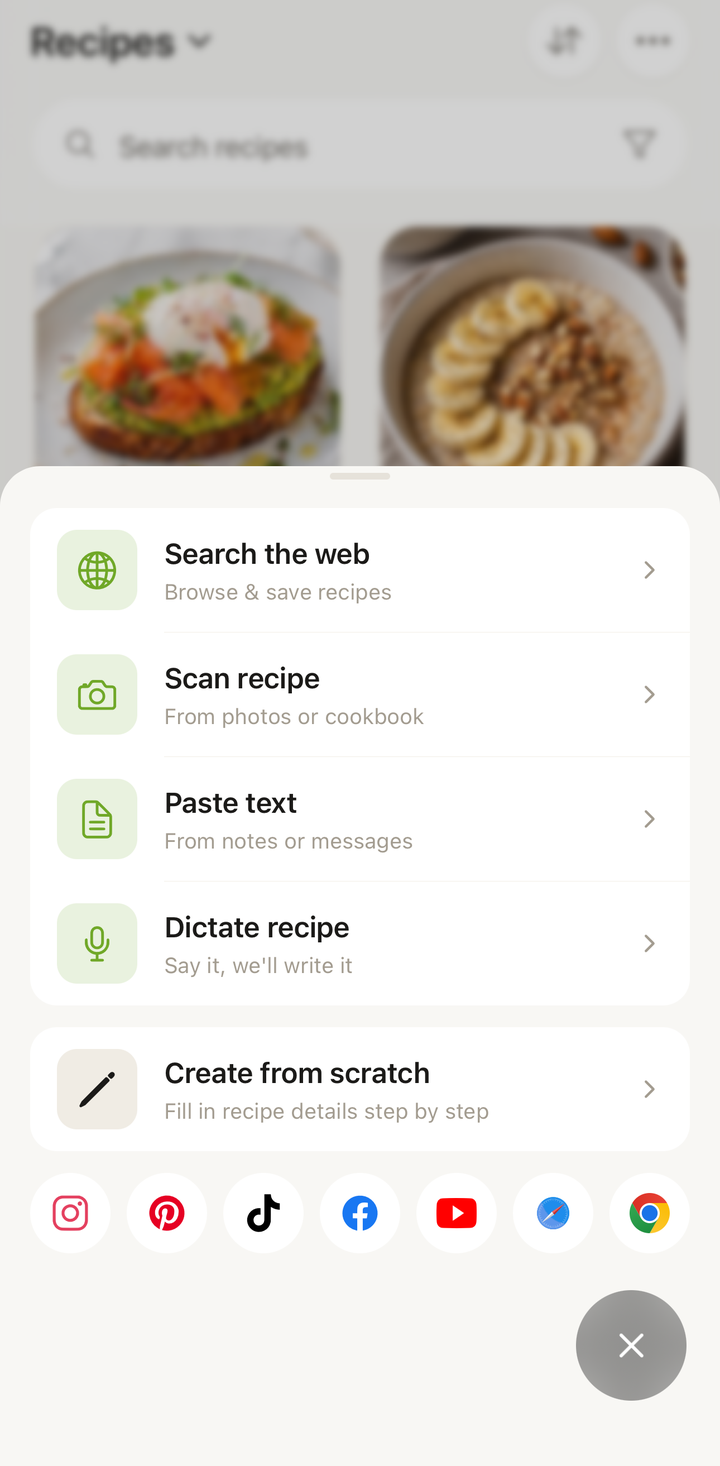
Cookonut can import recipes from virtually any source:
- Websites — open a recipe page in the in-app browser and Cookonut extracts it automatically
- Social media — Instagram, TikTok, YouTube, Pinterest
- Photos — scan a cookbook page, handwritten card, or screenshot
- Voice — dictate a recipe in your own words
- Pasted text — copy-paste from any source
- Manual entry — write a recipe from scratch without using AI
Organize Your Collection
Create cookbooks (like folders) to group recipes however you want — “Weeknight Dinners,” “Holiday Baking,” “Mom’s Recipes.” Add tags, search by name or ingredient, and filter by meal type, cuisine, or cook time.
Cook Step-by-Step
Cooking mode shows one step at a time with large text, built-in timers, and easy swiping. Your screen stays on so you don’t have to touch your phone with messy hands. Scale servings up or down and convert between units on the fly.
Plan Your Meals
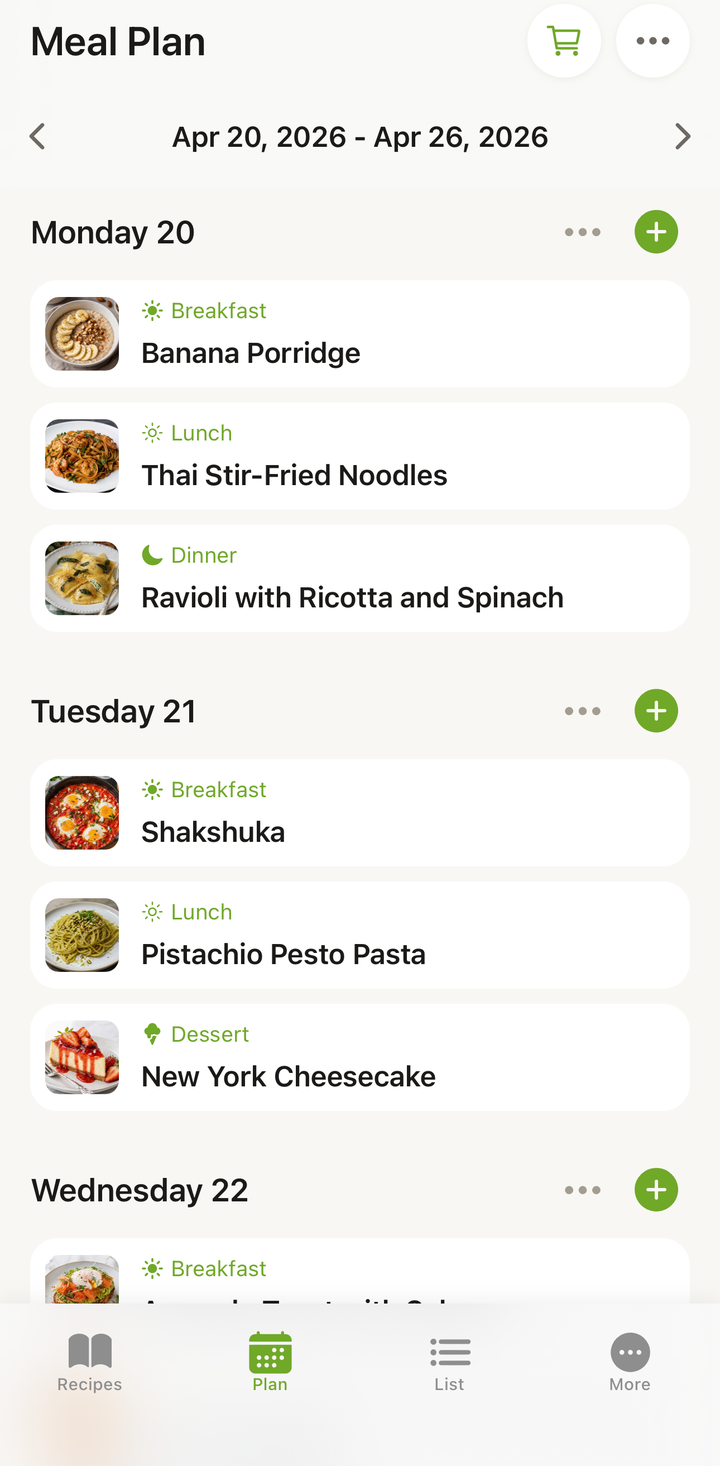
The weekly meal planner lets you assign recipes to breakfast, lunch, dinner, and snack slots. Swipe between weeks to plan ahead. When you’re ready, generate a grocery list from your planned meals with one tap.
Smart Grocery Lists
Grocery lists are generated automatically from your meal plan or individual recipes. Items are grouped by category (produce, dairy, pantry), and you can check them off as you shop — even offline.
Available on iOS and Android
Cookonut is available as a free download on both platforms:
- iPhone and iPad — requires iOS 16 or later
- Android — requires Android 8.0 (Oreo) or later
Your account syncs across all your devices. Start planning on your tablet and cook from your phone — your recipes, meal plans, and grocery lists are always in sync.
Free and Premium
Cookonut works great on the free plan. Here’s a quick overview:
Free (forever):
- 10 AI-powered imports per month
- Up to 50 saved recipes
- Unlimited manual recipe entry
- Meal planner, grocery list, cooking mode, cookbooks
- Cloud sync and offline access
- Export and print recipes
Premium ($4.99/month or $38.99/year):
- Unlimited AI imports
- Unlimited saved recipes
- Nutrition information on every recipe
- On-demand recipe translation between languages
- Share recipes directly with other Cookonut users
You can use every core feature on the free plan — Premium simply removes limits and adds extras for power users.
Built for Home Cooks
Cookonut isn’t a social network or a recipe database. It’s your personal recipe organizer — a digital cookbook that you fill with the recipes you actually cook. Whether you have 5 recipes or 500, Cookonut keeps them organized and ready when you need them.
Thanks for your feedback! We're glad it helped.